
Esports sponsorship software
Sell the overlay like the placement it is.
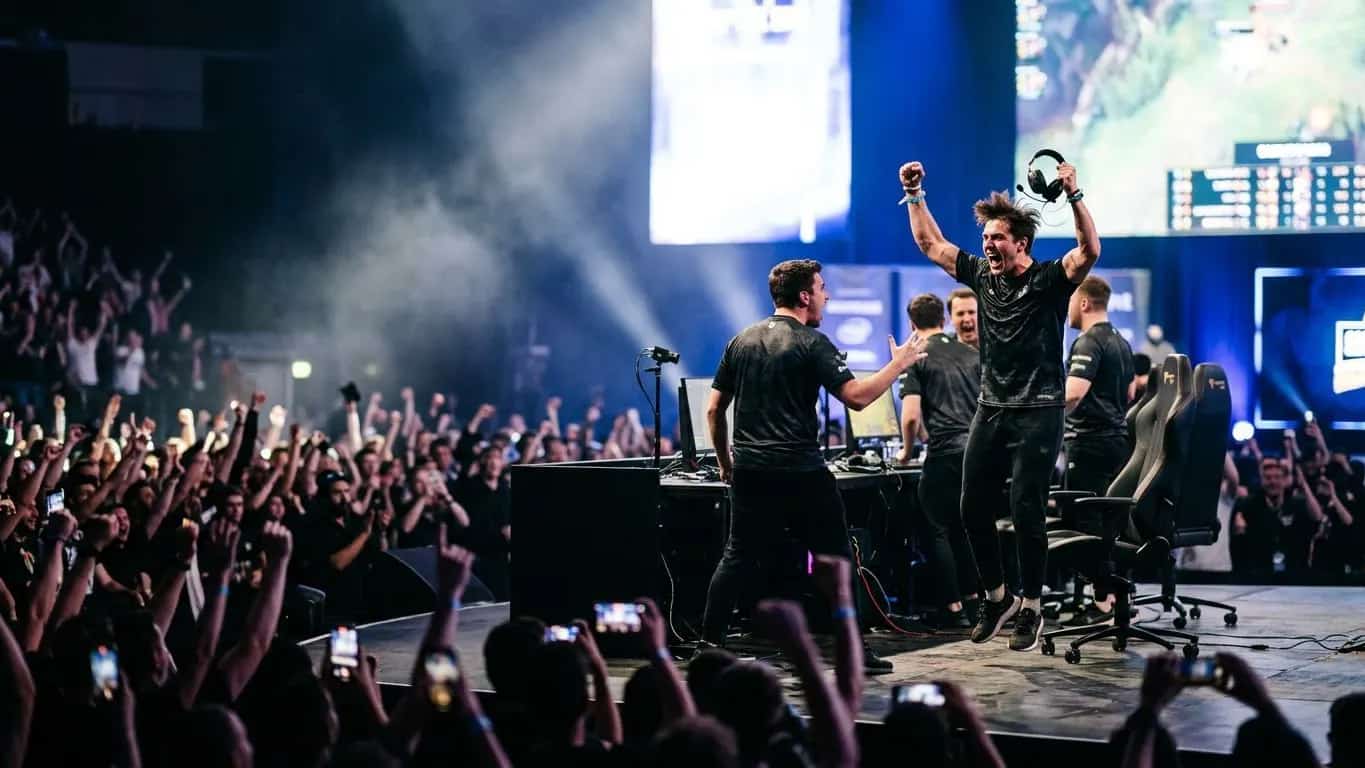
Package jersey, overlay, desk, and LAN inventory with the sponsor's logo on your real broadcast stills. Track every deal, then prove each placement with VOD timestamps, photos, and Video ROI.
- Placement
- HUD and transitions, every stream
- Proof plan
- VOD timestamps and Video ROI
- Also sold
- JerseyDesk wrapLAN booth
A LAN title package, line by line.
Tournament weeks add inventory beyond kit and stream. Each piece is its own deliverable with its own proof.
- Overlay
- Full broadcast, webcam frame and HUD
- Booth
- Behind the talent, all tournament days
- Meet-and-greet
- Saturday, 30 minutes
- Proof
- VOD timestampdesk photoevent photo
Watch SponsorFlo run a sponsorship season
See Sevens Rugby move from inventory and research through Deck Studio, agreements, deliverables, and renewals — the full seller season in one walkthrough.
Every placement has its own photo and proof.
Viewers see the overlay for the full length of a stream, so it deserves its own slide and its own price.
Jersey and kit
Photograph the patch as it appears on broadcast. Proof is stage and stream photos.
Overlay and HUD
Webcam frame, HUD, and transitions. Proof is VOD timestamps and Video ROI.
Desk and LAN
Desk wraps, booths, and LED behind talent. Proof is event photos.
VODs and social
A cadence you can sustain. Proof is VOD and post links.
Video ROI reads a YouTube, Instagram, TikTok, or X link, or an upload, detects the sponsor's logo, and estimates media value.
Measure exposure in the VOD.
Export the report and bring it to the meeting. The clip sits on the same deliverable as the overlay you sold.
How Video ROI worksWhat it looks like in SponsorFlo.
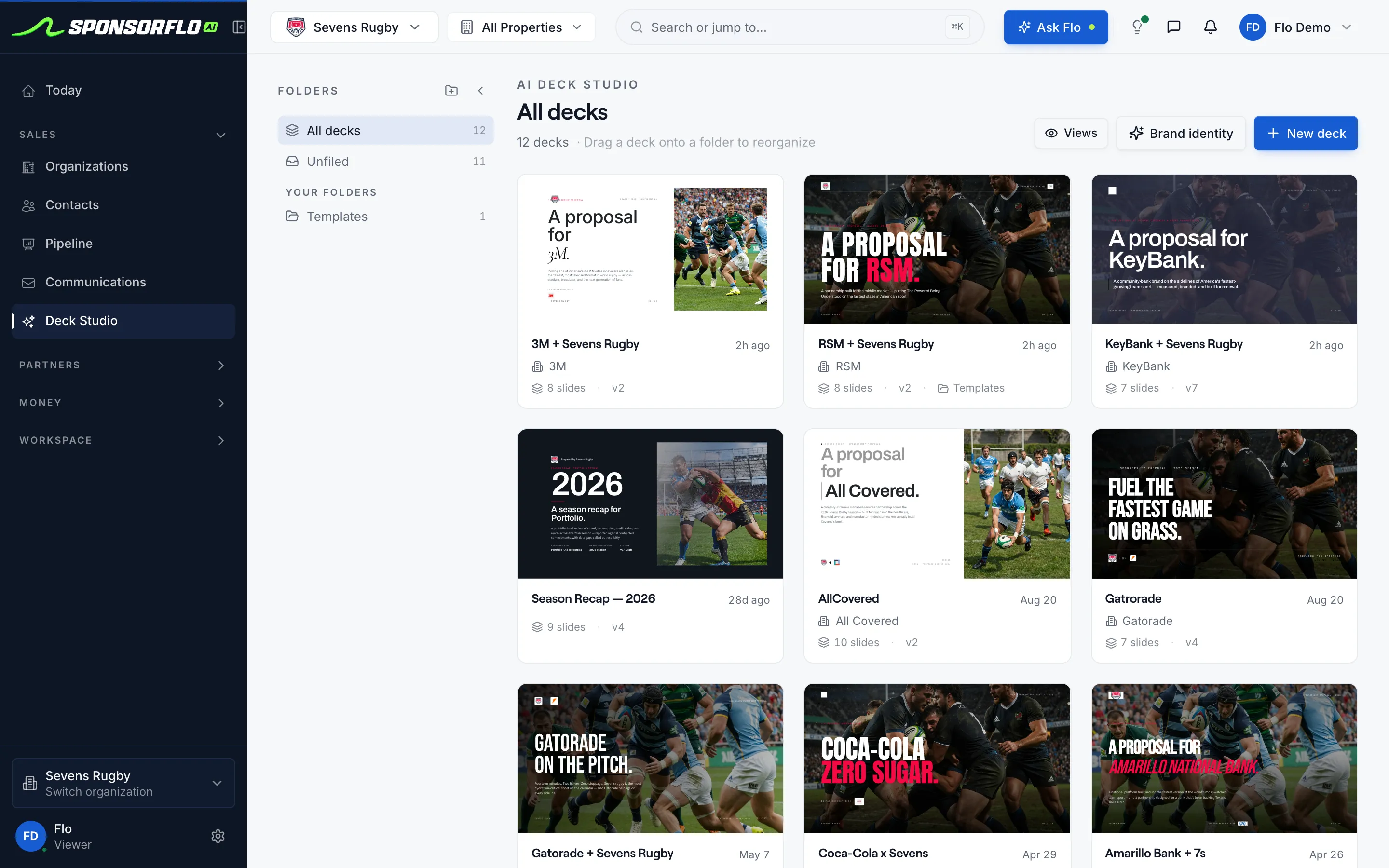
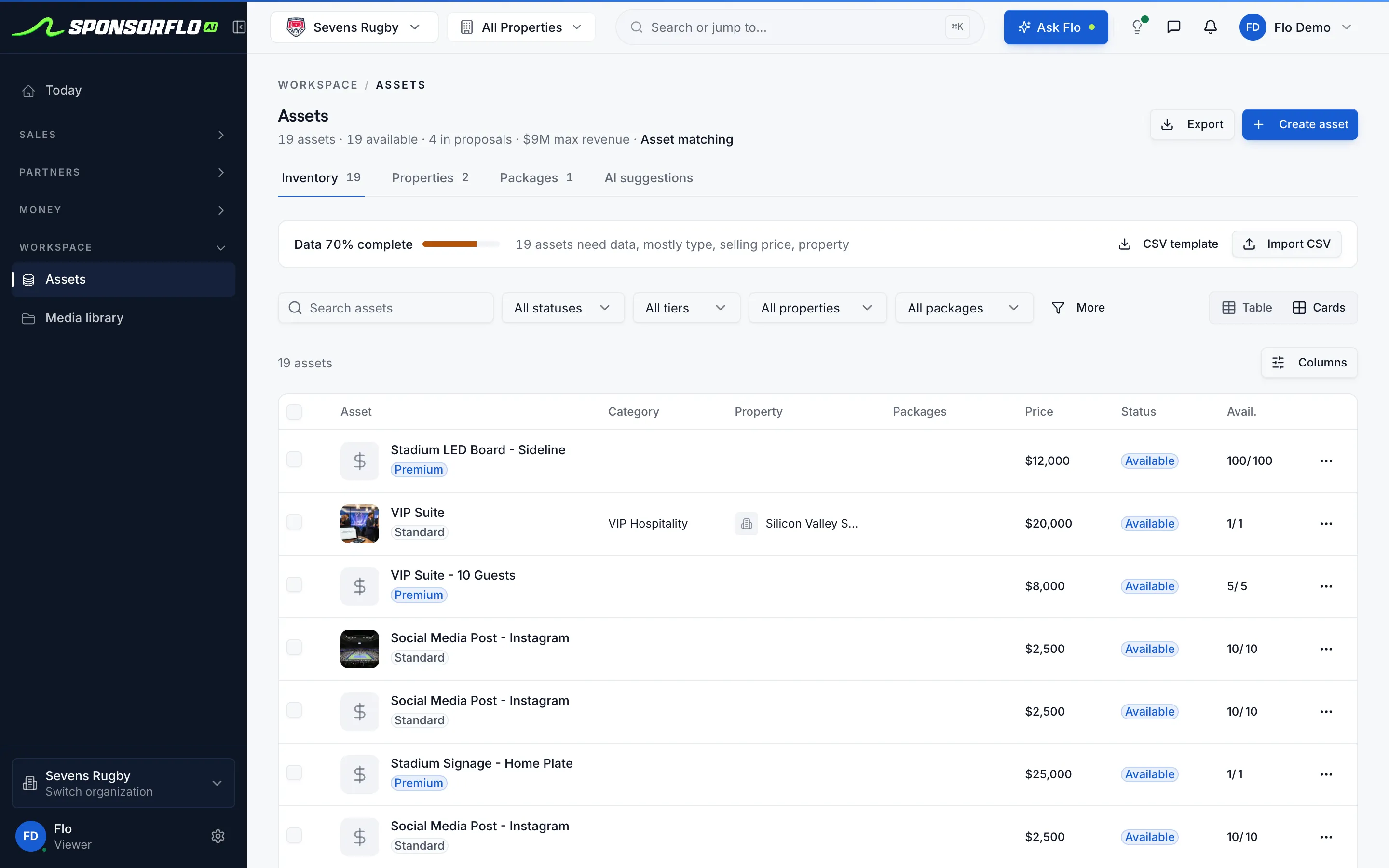
Screens from our read-only demo workspace.
Questions
Also sell traditional kit? See sports teams.
What is esports sponsorship software?
Esports sponsorship software is what orgs and tournaments use to sell jersey, overlay, desk, LAN, and content placements with branded decks and mockups, track deals, fulfill deliverables, and prove performance.
How do I create a sponsorship deck for my esports org?
Add placements to inventory, upload photos of each as it appears on broadcast, and Deck Studio builds a deck with the sponsor's logo on your jersey, overlay, or desk.
Why should I photograph the overlay separately from the jersey?
Viewers see the overlay for the whole stream, a different placement from the jersey. Its own photo and slide justifies its own price.
How do I prove sponsorship deliverables to a sponsor?
Attach a VOD timestamp, a desk photo, or a post link to each deliverable. Sponsors view it through a shared portal link.
Can I measure sponsor logo exposure in VODs?
Yes. Video ROI detects sponsor logos in linked or uploaded video and estimates media value from the exposure it finds.
Is SponsorFlo a creator marketplace?
No. It is for orgs and tournaments that sell their own inventory. Marketplaces help individual talent find deals.
Esports sponsorship software
Software that esports orgs and tournament operators use to manage sponsorship inventory, build branded decks with logo mockups on real broadcast assets, track deals through the pipeline, fulfill contracted deliverables, and prove performance with VOD timestamps, photos, and social clips.
Read the full esports sponsorship software guide
Esports sponsorship software: how to sell, manage, and prove kit, overlay, and LAN inventory
Esports sponsorship software helps orgs and tournaments sell the placements they already have — jersey patches, stream overlays, desk signage, LAN hospitality, and content flights — with branded decks, logo mockups, deal tracking, and proof of performance in one workspace. SponsorFlo is esports sponsorship software built for teams and events that package their own inventory, so every placement follows the same workflow from first pitch to delivered proof.
What inventory does an esports org sell?
An esports org typically sells four categories of sponsorship inventory, each with its own placement and proof. Understanding these categories is the first step to packaging and pricing them correctly.
- Jersey or sleeve: the sponsor’s logo on the team’s kit, photographed on the actual jersey the players wear on stage or on stream.
- Stream overlay and HUD: logo placement on the webcam frame, HUD elements, or transition screens that viewers see for the full length of a broadcast.
- Desk and LAN signage: physical placements at tournament venues, including desk wraps, booth banners, and LED screens behind the talent.
- Content flights: a series of VODs, match-day streams, and social media posts with sponsor integration, delivered on a cadence the org can sustain.
In SponsorFlo, each of these placements lives in your inventory with a category, tier, price, and availability status. You can group them into packages — for example, a title sponsorship that includes jersey, overlay, desk signage, and a ten-VOD content flight — or sell each placement individually.
How do you build an esports sponsorship deck?
A strong esports sponsorship deck shows the sponsor exactly where their logo will appear, on the assets your audience actually sees. Start by photographing each placement as it renders on your broadcast: the jersey on a player, the overlay during a match, and the desk setup at a LAN. Upload those photos to SponsorFlo and add your placements to your inventory.
Deck Studio then builds a branded deck from your inventory and brand identity. It mocks the sponsor’s logo onto your jersey, overlay, or desk photo so the prospect sees their brand in context, not on a blank template. Each deck is tailored to one sponsor with version history, and you send it as a tracked link that reports when the sponsor views it. A sponsor who opened the deck twice but has not replied usually needs a call or a revised package, not another generic follow-up email.
Why should you photograph the overlay separately from the jersey?
Viewers see the overlay for the entire length of a stream, which can be several hours per broadcast day. That is a fundamentally different placement from the jersey, which may only be visible during player camera shots. A kit-only deck undersells the hours the stream is live and leaves money on the table.
Photograph the HUD, webcam frame, or transition screen as it actually renders on your broadcast, then give the overlay its own slide in the deck with its own price. When a sponsor sees their logo on the overlay still from a real match VOD, they understand the placement and the value immediately. The same logic applies to desk signage at a LAN: if the desk wrap is visible behind the talent for the whole event, it deserves its own photo and its own line in the package.
How do you track esports sponsorship deals?
Every sponsorship opportunity should have a stage, a value, an expected close date, and an owner. SponsorFlo’s pipeline shows your open pipeline value, deals by stage, and win rate at the top of the page, with every deal listed below. A weekly review takes minutes: move stalled deals forward, follow up on prospects who viewed the deck, and confirm which deals you expect to close before the next split or tournament.
When you connect Gmail or Outlook, email threads with each sponsor appear on the contact record, so your team can see the full conversation history without switching tools. Replies to deck links also appear, making it easy to pick up the conversation where the sponsor left off.
How do you prove esports sponsorship deliverables?
Proof of performance is what turns a first-year sponsor into a renewal. After a deal is signed, each contracted benefit becomes a deliverable in SponsorFlo with a due date, priority, and status. As each placement runs, you attach proof: a VOD timestamp for a stream mention, a photo of the desk signage at a LAN, a link to the social post, or a clip of the broadcast segment.
SponsorFlo can read deliverables from a signed agreement so you do not retype them. The deliverables view shows what is completed, in progress, and overdue across all of your sponsors, so nothing slips through during a busy tournament week. Sponsors can view their own deliverables and proof through a shared partner portal link, which means fewer status update emails and more trust heading into the renewal.
How do you measure sponsor logo exposure in VODs?
Video ROI analyzes a YouTube, Instagram, TikTok, or X URL or an uploaded file, detects sponsor logos in the footage, and reports brand detections, an effectiveness score, and estimated media value. For an esports org, this means you can take a match VOD, run it through Video ROI, and show the sponsor exactly how many seconds their logo was visible and what that exposure was worth.
Export the report and bring it to the renewal meeting alongside the deliverables you fulfilled and the impressions they generated. A sponsor who sees concrete exposure data from their own VODs is far more likely to renew than one who receives a generic recap.
LAN and tournament hospitality inventory
Tournament weeks add inventory beyond kit and stream: hospitality suites, booth space behind the desk, meet-and-greet slots, and venue signage. Add each placement to your inventory with dates and headcounts, then package them alongside kit, overlay, and content as a tournament sponsorship. After the event, attach photos of the booth, the signage, and the hospitality area as proof on each deliverable.
VOD integrations and social cuts from the event belong on the content flight as separate deliverables with their own cadence. A title sponsor at a LAN might receive jersey placement, overlay integration during the broadcast, a booth behind the talent, a meet-and-greet slot, and a five-post social flight after the event. Each of those is a deliverable with a due date and proof attached when it runs.
Workflow from split start to renewal
- Shoot kit, overlay, and desk photos before the split starts and upload them to SponsorFlo.
- Add jersey, overlay, desk, LAN, and content placements to your inventory with category, tier, and price.
- Build a deck for each prospect in Deck Studio with their logo mocked onto your broadcast assets.
- Send the deck as a tracked link and follow up when the prospect views it.
- Sign the agreement and let SponsorFlo extract the deliverables from the contract.
- Attach VOD timestamps, desk photos, and social links as proof after each placement runs.
- Run match VODs through Video ROI to measure logo exposure and estimated media value.
- Share deliverables and proof through the partner portal, then start the renewal conversation with data.
Related pages
- Sports teams — sell jersey, signage, and venue sponsorships with branded decks
- AI mockups — place a sponsor’s logo on your jersey, overlay, or venue photos
- Video ROI analysis — measure sponsor logo exposure in VODs and social clips
- Influencer sponsorship — sponsorship management for shows, events, and channels that sell their own inventory
Related solutions and features
Sports teams
Sell jersey, signage, and venue sponsorships with branded decks
Learn moreFeatureAI mockups
Place a sponsor's logo on your jersey, overlay, or venue photos
Learn moreFeatureVideo ROI analysis
Measure sponsor logo exposure in VODs and social clips
Learn moreSolutionInfluencer sponsorship
Sponsorship management for shows, events, and channels that sell their own inventory
Learn morePut their logo on your overlay before the next split.
Open the demo workspace to see decks, inventory, and proof on one record.