
Compare
SponsorFlo vs HubSpot: sponsorship management software versus generic CRM.
SponsorFlo is sponsorship management software built for teams, events, and nonprofits that sell sponsorships. HubSpot is a marketing CRM built for company-wide contacts, sequences, and automation. This comparison helps you decide when to keep HubSpot, when to add SponsorFlo, and how to run both side by side.
Reviewed September 20, 2026. Written by SponsorFlo, so confirm HubSpot details in its own demo.
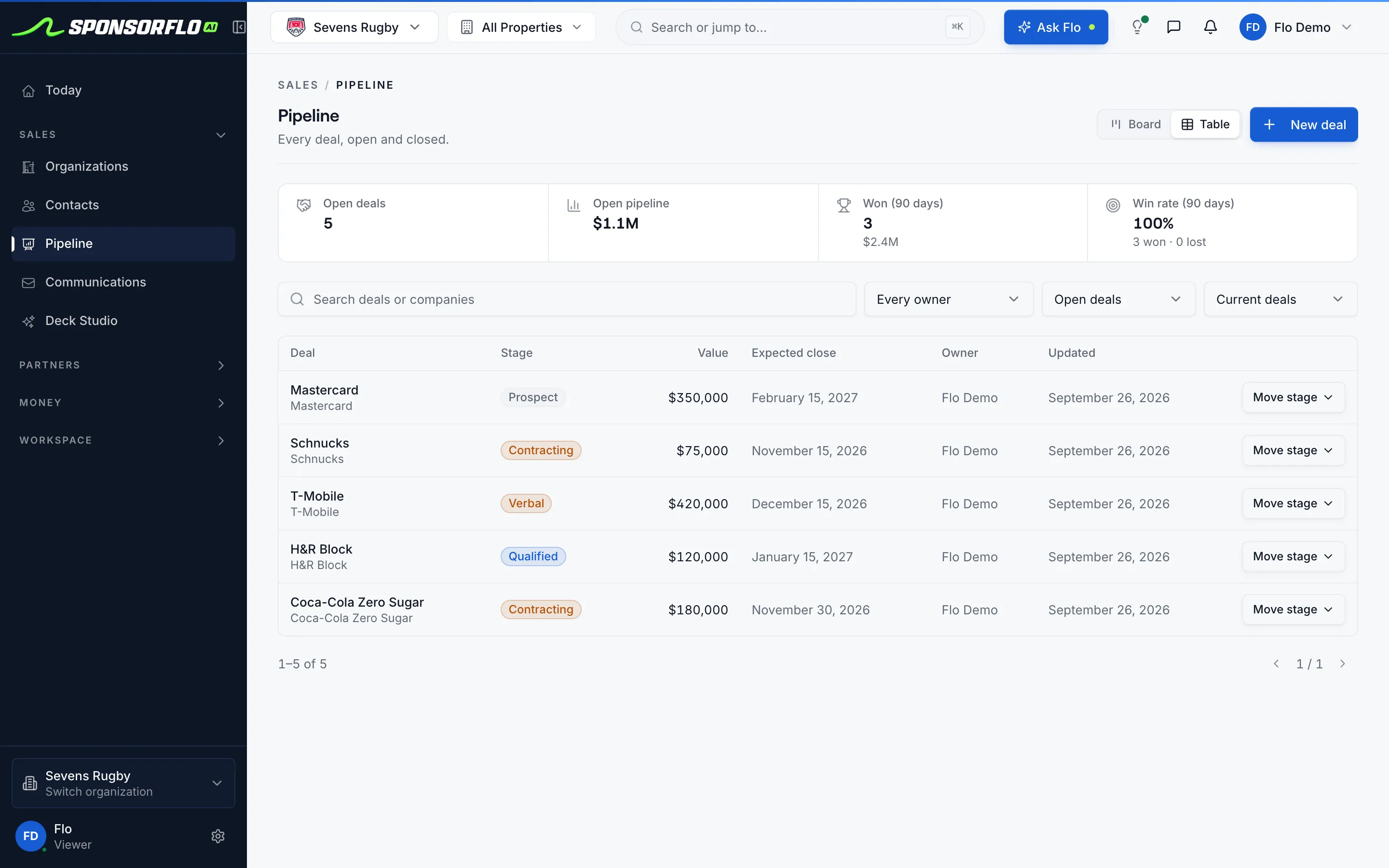
How does SponsorFlo compare with HubSpot for sponsorships?
HubSpot is the stronger company-wide CRM and marketing tool; SponsorFlo models the sponsorship deal itself, from inventory to proof of performance. The rows below show where each one fits.
| Criterion | SponsorFlo | HubSpot (generic CRM) |
|---|---|---|
| Sponsors, contacts, and pipeline | Yes, built for sponsorship deals | Yes — core CRM strength |
| Marketing automation and CMS | Not the focus | Native HubSpot strength |
| Sponsorship inventory and packages | Native with categories, tiers, pricing, and availability | Custom fields or spreadsheets |
| AI deck builder with sponsor logo mockups | Native — builds a branded deck from your inventory | Not available |
| Deliverable tracking with proof of performance | Native with status, due date, impressions, and proof attachments | Custom workflow or external sheet |
| Agreement extraction to deliverables | AI reads a signed PDF and creates deliverables | Manual entry or third-party tool |
Feature sets change, so confirm details with each vendor before you decide.
How to evaluate SponsorFlo vs HubSpot
Separate the jobs each tool does best
HubSpot handles marketing automation and company-wide contacts. SponsorFlo handles sponsorship inventory, proposals, agreements, deliverables, and billing.
Check where your sponsorship data lives today
If packages, fulfillment records, and renewal history sit in spreadsheets bolted onto HubSpot, those gaps are the ones SponsorFlo fills.
Run both tools side by side
Keep HubSpot for your company CRM and marketing workflows, and manage the sponsorship revenue line in SponsorFlo so each tool does what it was designed for.
Which one fits your team?
HubSpot is the better choice when
- Marketing owns the CRM for the whole company and sponsorship is a small contact list.
- You only need email sequences and tasks, not inventory or deliverable tracking.
- Sponsorship proposals live in Google Slides by design and do not need logo mockups.
SponsorFlo is the better choice when
- Sponsorship packages reference real assets like signage, tickets, hospitality, and media.
- Your team needs branded decks with sponsor logo mockups built from your inventory.
- Renewals depend on proof of performance: deliverables delivered, impressions logged, and media value measured.
Watch SponsorFlo run a sponsorship season
See Sevens Rugby move from inventory and research through Deck Studio, agreements, deliverables, and renewals — the full seller season in one walkthrough.
When to use each tool.
HubSpot wins marketing automation and company-wide CRM. SponsorFlo wins the sponsorship revenue line with inventory, proposals, fulfillment, and billing.
Keep HubSpot on its own
Sponsorship is a small part of your business, you only track a handful of sponsor contacts, and you do not need inventory, proposals, or deliverable tracking.
Add SponsorFlo alongside HubSpot
Your sponsorship team needs inventory with pricing, branded decks with logo mockups, agreements that turn into deliverable checklists, and proof of performance at renewal.
Teams evaluating Salesforce instead
Salesforce has the same structural gap for sponsorships as HubSpot. It can be customized at enterprise cost, but SponsorFlo ships the sponsorship data model out of the box.
Considering a specialist sponsorship suite
See the KORE and SponsorCX comparisons for how SponsorFlo compares with platforms built specifically for sponsorship management.
Questions
Want every option side by side? Read the 2026 buyer's guide.
Can I run sponsorships inside HubSpot?
You can track sponsor accounts, contacts, and tasks in HubSpot. What you cannot do natively is model sponsorship inventory with pricing and availability, generate branded decks with logo mockups, extract deliverables from a signed agreement, or attach proof of performance to each fulfillment line. Those gaps are where teams add SponsorFlo.
Is SponsorFlo a full HubSpot replacement?
For the sponsorship revenue line, it usually replaces the pipeline and workflow teams built inside HubSpot. For inbound marketing, email sequences, and company-wide CRM, HubSpot is still the right tool. You can keep both and let each handle what it was designed for.
What about Salesforce instead of HubSpot?
Salesforce has the same structural gap: it can be customized into a sponsorship desk, but that takes a services project and ongoing administration. SponsorFlo ships sponsorship inventory, deck building, agreement extraction, deliverable tracking, and billing without custom development.
What sponsorship capabilities does HubSpot lack?
HubSpot does not offer sponsorship inventory and package management, AI-generated sponsorship decks with logo mockups on your own asset photos, contract extraction that creates deliverables automatically, deliverable tracking with proof attachments, a partner portal for sponsors to view their fulfillment, or Video ROI analysis for measuring logo exposure in footage.
How does SponsorFlo handle billing and payments?
SponsorFlo creates invoice drafts from agreements, collects payment through Stripe, and syncs customers, invoices, and payments with QuickBooks Online. HubSpot does not natively connect sponsorship agreements to invoicing.
SponsorFlo vs HubSpot
A comparison between SponsorFlo, sponsorship management software that models inventory, proposals, agreements, deliverables, and billing for sponsorship sellers, and HubSpot, a marketing CRM built for company-wide contacts, email sequences, and automation. The two tools solve different problems, and many teams use both.
Read the full SponsorFlo vs HubSpot comparison
SponsorFlo vs HubSpot: when to use sponsorship management software instead of a generic CRM
SponsorFlo vs HubSpot is a question sponsorship teams ask when their pipeline, inventory, and fulfillment records have outgrown the custom fields and spreadsheets bolted onto a marketing CRM. HubSpot is excellent at company-wide contact management, email sequences, and marketing automation. SponsorFlo is sponsorship management software built for teams, events, and nonprofits that sell sponsorships, covering inventory, branded proposals, agreements, deliverable tracking, and billing in one workspace. This guide explains what each tool does well, where they overlap, and how most teams run both side by side.
What does HubSpot do well for sponsorship teams?
HubSpot gives you a strong contact database, deal pipeline, email sequences, and marketing automation. If sponsorship is a small part of your business and you only need to track a handful of sponsor contacts alongside hundreds of other prospects, HubSpot handles that without a second tool. Its reporting dashboards, meeting scheduler, and integration marketplace serve a marketing team that manages the CRM for the whole company.
Where HubSpot falls short is the data model. A sponsorship deal is not just a contact and a dollar amount. It involves sellable assets with categories, tiers, and pricing; a branded proposal with logo mockups placed on your own venue photos; a signed agreement whose terms become a deliverable checklist; and proof of performance attached to each fulfillment line. HubSpot does not natively model any of those objects, so sponsorship teams end up building workarounds with custom fields, spreadsheets, and file attachments that break when it is time to report or renew.
What does SponsorFlo do that HubSpot cannot?
SponsorFlo covers the full sponsorship lifecycle from inventory to renewal. Here are the specific capabilities a sponsorship team gains when they add SponsorFlo alongside or instead of HubSpot for their sponsorship pipeline:
- Inventory management: sellable assets organized by category, tier, price, and availability, with packages and CSV import. In HubSpot, inventory lives in spreadsheets or custom properties that cannot enforce availability.
- Deck Studio: AI builds a branded sponsorship deck from your inventory and brand identity, with sponsor logo mockups placed on your own asset photos. Each deck is sent as a tracked link that reports views. HubSpot has no native deck builder.
- Agreement intelligence: upload a signed PDF or Word contract and AI extracts terms and deliverables into a structured record with approvals, signature requests, and a payments tab. In HubSpot, agreements are file attachments with no extracted structure.
- Deliverable tracking: every benefit the contract promises becomes a deliverable with status, due date, priority, delivered impressions, and proof attachments including photos, links, files, and clips. Overdue deliverables surface automatically. HubSpot tasks do not carry impressions or proof.
- Billing: invoice drafts created from agreements, Stripe payment collection, and two-way sync with QuickBooks Online for customers, invoices, and payments.
- Video ROI: analyze a YouTube, Instagram, TikTok, or Vimeo URL or an uploaded file to detect sponsor logos, measure exposure, estimate media value, and export a report for the sponsor.
- Partner portal: sponsors view their deliverables and proof through a shared link, which saves your team from assembling recap decks manually.
How do sponsorship teams use SponsorFlo and HubSpot together?
Most teams that adopt SponsorFlo keep HubSpot for marketing automation, company-wide contacts, and inbound lead management. The sponsorship revenue line moves to SponsorFlo, where inventory, proposals, agreements, deliverables, and billing live in one workspace. SponsorFlo works alongside your company CRM rather than replacing it, so the marketing team keeps the tools it depends on while the sponsorship team stops maintaining spreadsheet workarounds.
For example, a minor league baseball team might use HubSpot for ticket-buyer email campaigns and fan engagement, while the partnerships department runs sponsorship inventory, proposal generation, fulfillment tracking, and renewal preparation in SponsorFlo. Each tool handles the job it was built for.
When should you keep HubSpot without adding SponsorFlo?
HubSpot on its own is enough when sponsorship is a thin contact list without real inventory. If you sell fewer than a dozen sponsorships a year, do not need branded proposals with logo mockups, and track deliverables informally, HubSpot deals and tasks can handle the volume. Teams that primarily need email sequences and meeting scheduling for sponsor outreach, but do not manage packages tied to physical or digital assets, may not need a second system.
When should you add SponsorFlo?
Add SponsorFlo when any of these are true: your inventory includes real assets like signage, LED boards, hospitality suites, social media posts, or broadcast mentions that need pricing and availability tracking; your team builds sponsorship decks manually and wants logo mockups generated from photos of your venue; renewals fail because nobody can reconstruct what was delivered last season; or you need to show a sponsor proof of performance with impressions, media value, and delivered benefits at the end of a contract.
A concrete sign is when your sponsorship data is spread across HubSpot deals, a Google Sheet for inventory, Google Slides for proposals, a shared drive for contracts, and email for fulfillment updates. SponsorFlo consolidates those into one workspace where each object connects to the next: an inventory item appears in a deck, the deck becomes a deal, the deal becomes an agreement, the agreement creates deliverables, and the deliverables carry proof.
SponsorFlo vs HubSpot: side-by-side comparison
The table below summarizes where each tool is stronger across the capabilities sponsorship teams need most.
- Sponsors, contacts, and pipeline: both tools handle this well. HubSpot has deeper company enrichment; SponsorFlo structures deals around sponsorship stages and deliverables.
- Marketing automation: HubSpot is the clear leader with sequences, workflows, and a CMS. SponsorFlo does not compete here.
- Sponsorship inventory: SponsorFlo manages assets by category, tier, price, and availability. HubSpot requires custom fields or external spreadsheets.
- Branded decks with logo mockups: SponsorFlo’s Deck Studio builds proposals from inventory with AI-placed sponsor logos. HubSpot has no equivalent.
- Deliverable tracking and proof: SponsorFlo tracks each deliverable with status, impressions, and proof attachments. HubSpot tasks lack these fields.
- Agreement extraction: SponsorFlo’s AI reads a signed PDF and creates deliverables. In HubSpot, contracts are unstructured file attachments.
- Billing: SponsorFlo creates invoices from agreements, collects via Stripe, and syncs with QuickBooks Online. HubSpot does not natively connect sponsorship agreements to invoicing.
What about Salesforce instead of HubSpot?
Salesforce has the same structural gap as HubSpot when it comes to sponsorship management. It can be customized into a sponsorship desk with custom objects, flows, and a development team, but that takes months and ongoing administration. SponsorFlo ships the sponsorship data model — inventory, decks, agreements, deliverables, billing, and analytics — without a custom build. The same advice applies: keep Salesforce for company-wide CRM and run sponsorship in SponsorFlo.
How to evaluate SponsorFlo vs HubSpot for your team
Start by listing the sponsorship-specific jobs your team does every week, then check whether HubSpot handles each one natively or through a workaround. This checklist covers the most common gaps:
- List every deliverable line you sold last season and check whether HubSpot tasks can hold each one with proof of performance attached.
- Time how long it takes to build a branded sponsorship deck with logo mockups in your current stack, and compare that with what Deck Studio produces.
- Ask whether your renewal process can pull last season’s fulfillment record from HubSpot without opening a spreadsheet or a shared drive.
- Decide whether marketing automation or the sponsorship revenue line is the primary job for your CRM, and let that answer guide which tool handles which pipeline.
- Sponsorship management software — what it does and who it is for
- AI Agreement Intelligence — upload a PDF and AI extracts terms and deliverables
- SponsorFlo vs KORE — compare with an enterprise sponsorship valuation suite
- SponsorFlo vs SponsorCX — compare with a focused sponsorship CRM
Related comparisons and features
SponsorFlo vs KORE
Compare SponsorFlo with an enterprise sponsorship valuation suite
Learn moreResourceSponsorFlo vs SponsorCX
Compare SponsorFlo with a focused sponsorship CRM
Learn moreResourceSponsorship management software
What sponsorship management software does and who it is for
Learn moreFeatureAI Agreement Intelligence
Upload a signed PDF and AI extracts terms and deliverables
Learn moreSee sponsorship management on a live demo account.
Explore inventory, decks, agreements, and deliverables with sample sponsors and deals, or book a walkthrough with our team.