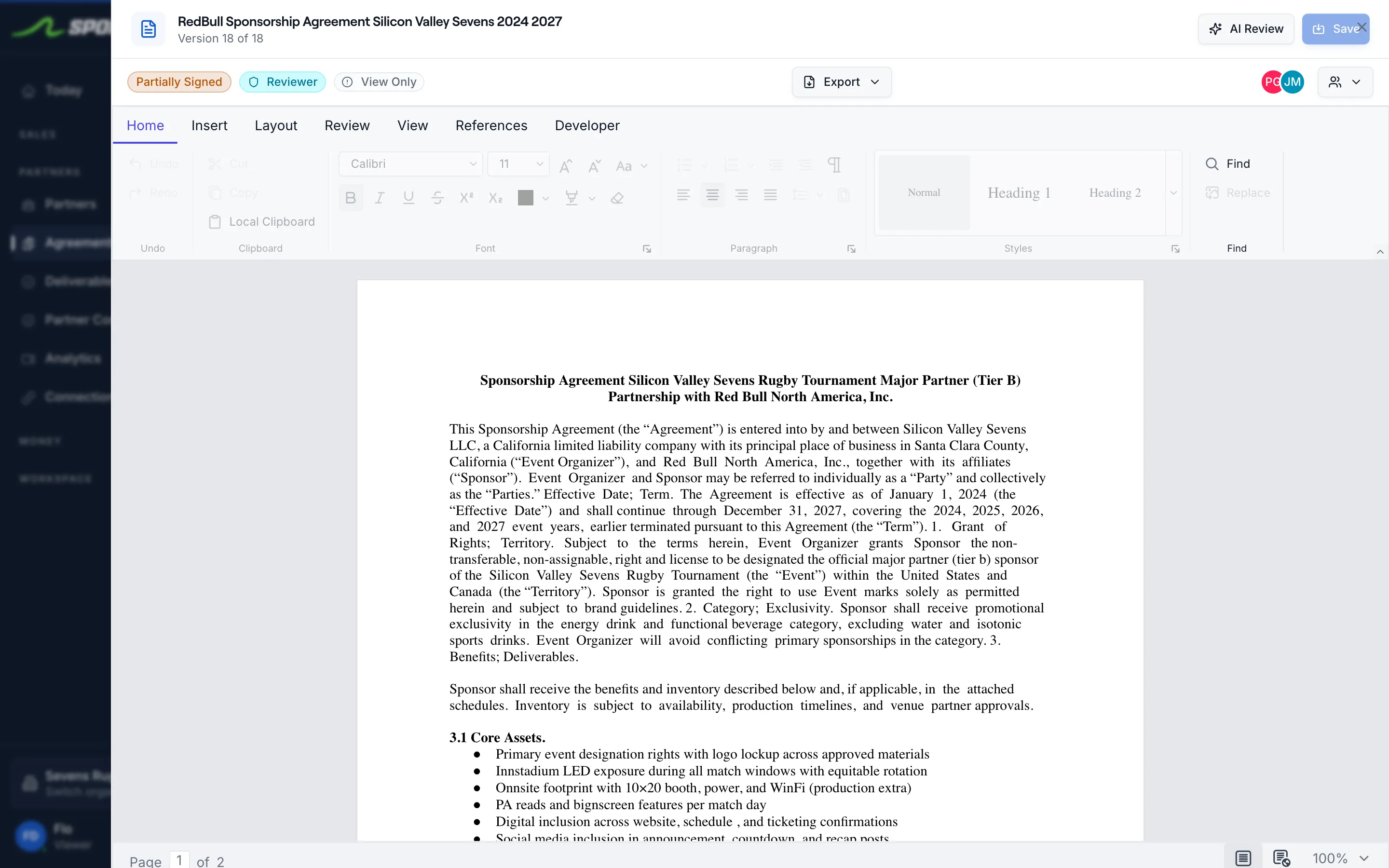
Sponsorship tracking software follows a sponsorship deal through every stage: the pitch, the follow-up, the signed agreement, the deliverables, and the proof that each benefit ran. For a team, event, or nonprofit that sells sponsorships, that means one workspace holds the deck you sent, the contract you signed, the invoices you collected, and the proof you captured, so the renewal conversation starts from a complete record instead of a reconstructed spreadsheet. SponsorFlo is sponsorship tracking software that covers each of those stages and connects them on a single deal.
What should sponsorship tracking software cover?
Good sponsorship tracking software covers the five stages of a deal, because a gap in any one of them means re-entry and lost context at renewal. Each stage produces data the next stage needs, so they should live on the same record.
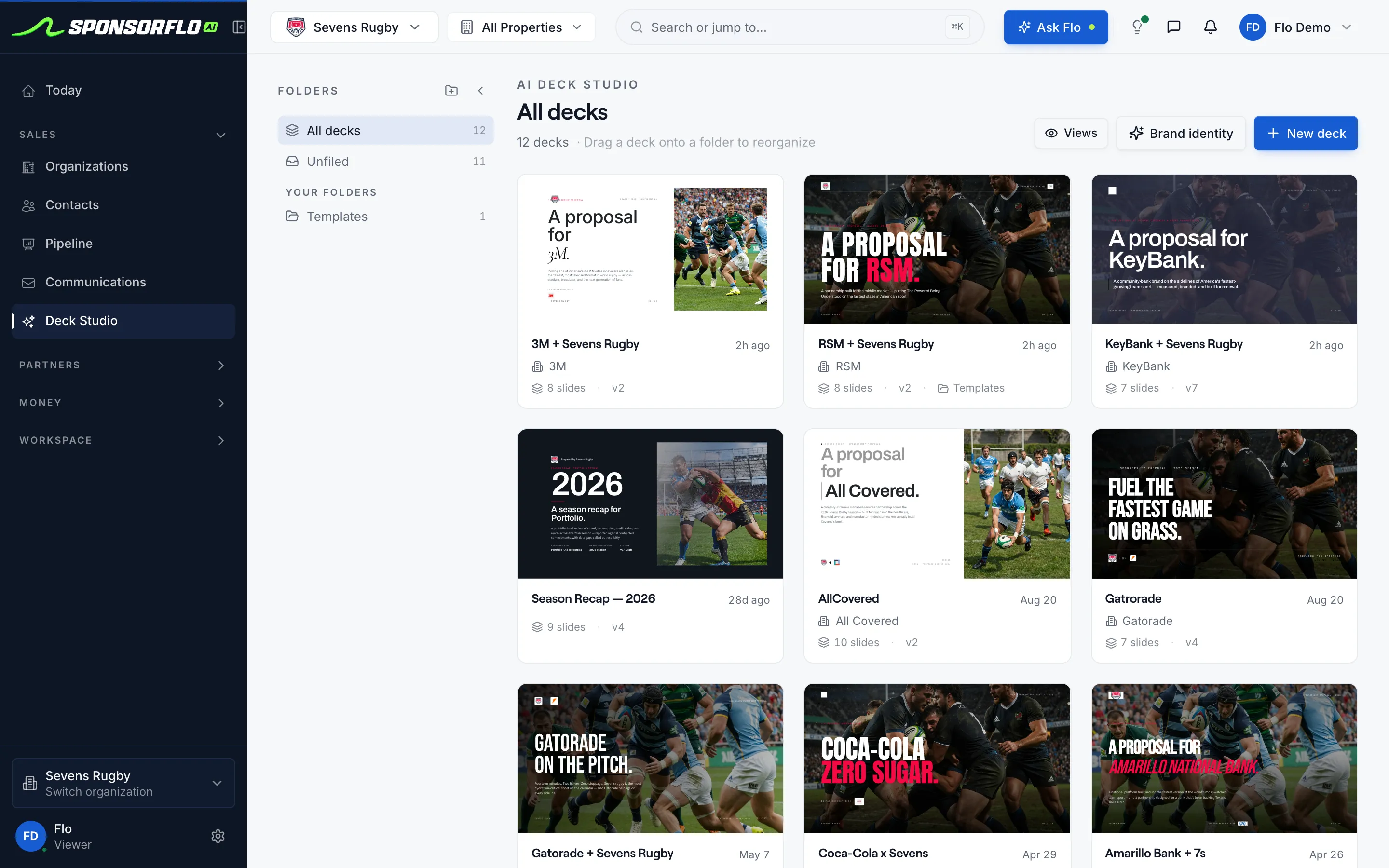
- Pitch: build branded proposals from your inventory, place the sponsor’s logo on your assets as a mockup, and send the deck as a tracked link.
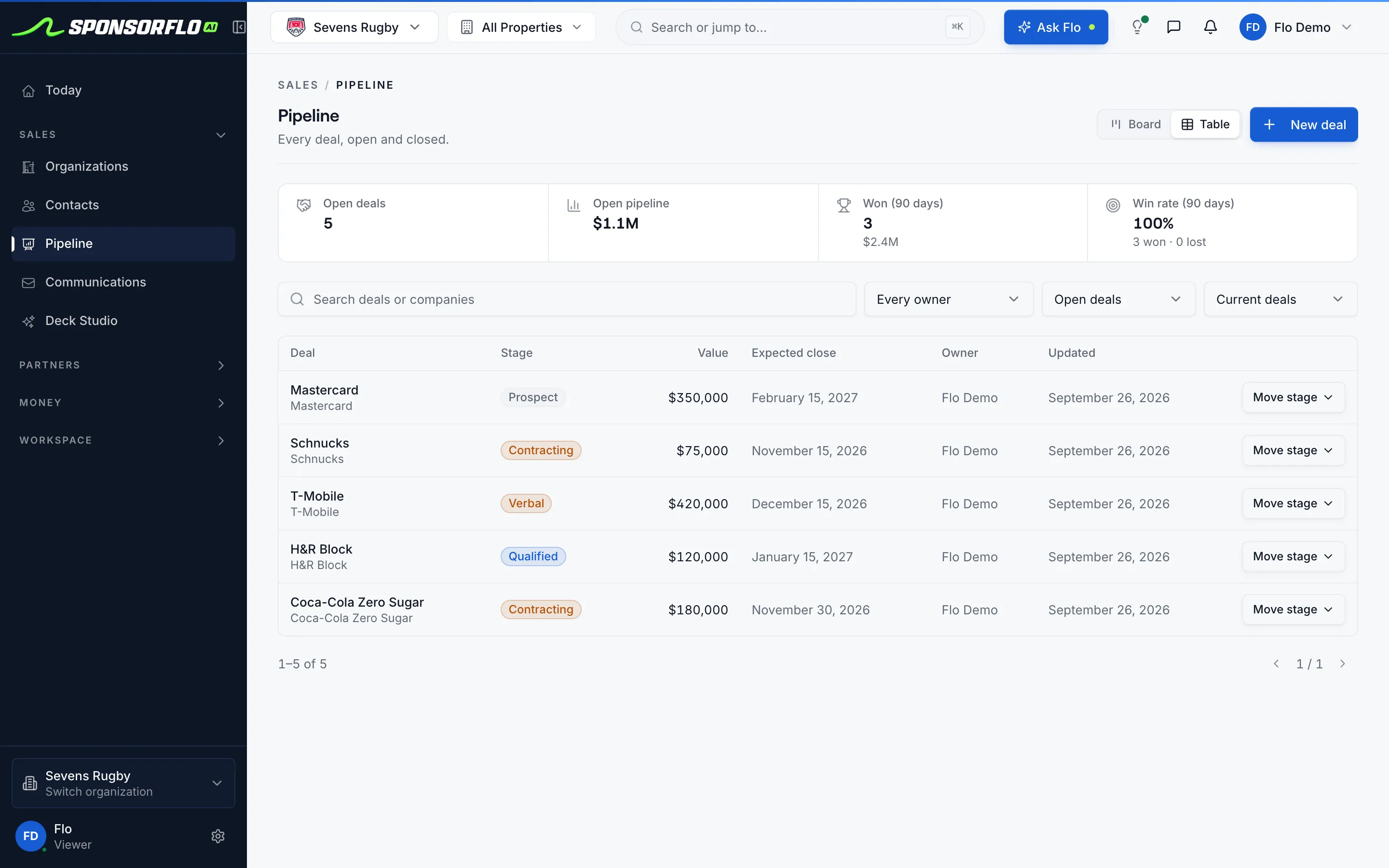
- Pipeline: track every deal with a stage, value, expected close date, and owner, and see who viewed your deck and who replied.
- Agreement: upload the signed contract and extract terms and deliverables so nothing is retyped.
- Fulfillment: track each deliverable by status, due date, and proof of performance, whether that is a photo, a social link, or a video clip.
- Payment and renewal: invoice through Stripe, sync with QuickBooks Online, and walk into the renewal meeting with the full record.
How does SponsorFlo track sponsorship deals?
SponsorFlo tracks a sponsorship deal from the moment you build the pitch to the day you renew. Every deal has a stage, a value, an expected close date, and an owner. Decks sent from Deck Studio report back when the sponsor views them, and emails from a connected Gmail or Outlook inbox thread on the contact record. When the deal closes, AI extracts deliverables from the signed PDF or Word contract, each one becoming a trackable item with a due date, priority, and a place to attach proof. For example, a minor league baseball team that sells a scoreboard package can see the proposal view, the signed agreement, the invoices collected through Stripe, and the photo of the sponsor’s logo on the board, all on the same deal.
What sponsorship software features matter most?
The features that matter most are the ones that eliminate re-entry between stages. A branded deck that builds from your real inventory saves the pitch. Agreement extraction that turns a signed PDF into trackable deliverables saves the handoff. Proof attachments on each deliverable save the recap. Here is what SponsorFlo includes:
- Deck Studio: AI builds a branded sponsorship deck from your inventory and brand identity, with sponsor logo mockups on your own asset photos. Each deck is sent as a tracked link that reports views.
- CRM: organizations (sponsors, brands, prospects) and contacts, with communications from a connected Gmail or Outlook inbox threaded on the contact.
- Pipeline: deals with stage, value, expected close date, and owner. Open pipeline value, won deals, and win rate at a glance.
- Agreements: upload a PDF or Word contract and AI extracts terms and deliverables. An agreement editor, approvals, and signature requests keep the process in one place.
- Deliverables: status, due date, priority, delivered impressions, and proof attachments including photos, files, and video clips. Overdue items surface automatically.
- Payments: invoice drafts from agreements, Stripe collection, and two-way QuickBooks Online sync of customers, invoices, and payments.
- Inventory: sellable assets with category, tier, price, availability, and packages, with CSV import.
- Video ROI: analyze a YouTube, Instagram, TikTok, or X URL or an uploaded file to detect sponsor logos, estimate media value, and export a report.
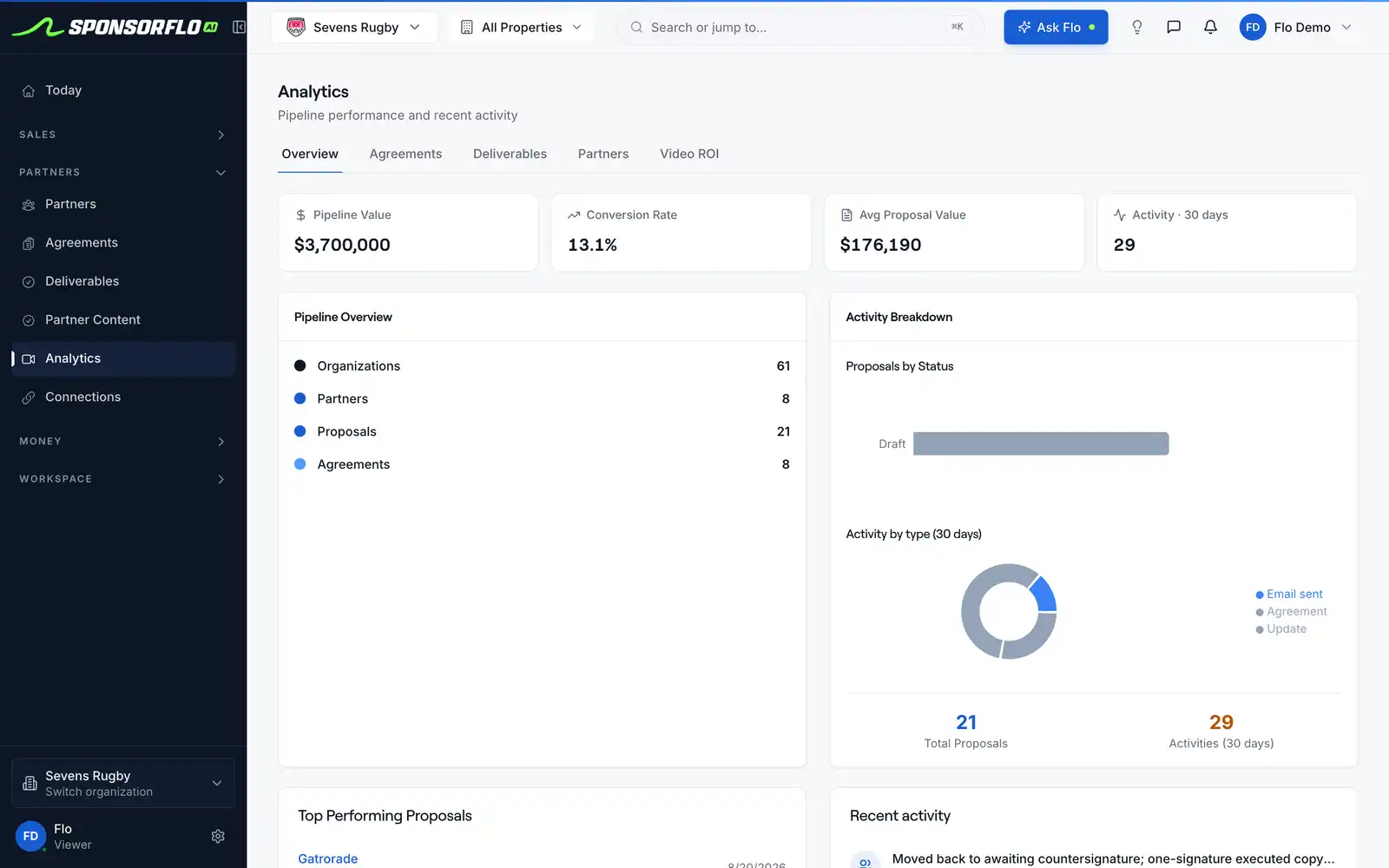
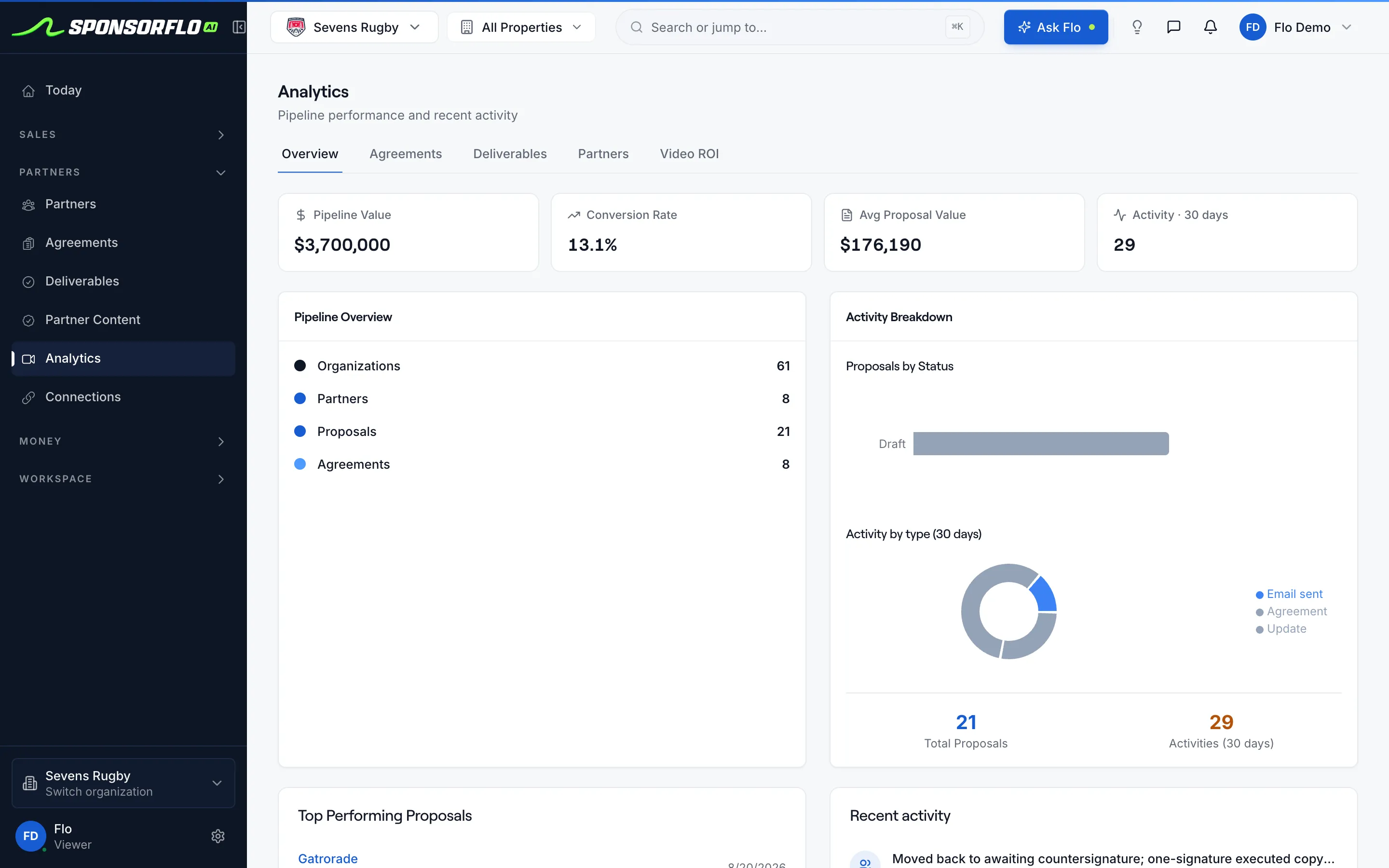
- Analytics: pipeline value, conversion rate, average proposal value, and activity, with tabs for agreements, deliverables, partners, and video ROI.
- Flo: the built-in AI assistant that answers questions about your deals, partners, and agreements.
- Partner portal: sponsors can view their deliverables and proof through a shared link.
How do you track sponsorship deliverables?
List every benefit the contract promises as a deliverable with a due date and a priority, then attach proof as each one runs. A photo of the booth signage, a link to the social post, a clip of the in-stadium read—each piece of proof sits on the deliverable it proves. SponsorFlo can extract deliverables directly from a signed agreement, so you do not retype them. The deliverables view shows what is completed, in progress, and overdue for every sponsor, which is the number that keeps a partnership healthy well before the renewal conversation starts.
How do you measure sponsor exposure in video?
Paste a YouTube, Instagram, TikTok, or X URL or upload a video file, and Video ROI detects sponsor logos in the footage. The analysis returns brand detections, an effectiveness score, and an estimated media value you can export as a report for the sponsor. For example, a podcast network can analyze a published episode to show an advertiser exactly how long their logo appeared on screen and what that exposure was worth.
Sponsorship tracking for brands that buy sponsorships
Brands that sponsor multiple teams, events, or venues need to track their portfolio from the other side of the table. SponsorFlo’s Brand HQ shows every sponsored property with its annual value, renewal timing, and health. The Performance and ROI view reports impressions, reach, media value, ROI, total spend, cost per impression, and deliverable completion across the portfolio. A brand partnership manager can see which properties delivered, which are behind, and which sponsorships renew in the next 180 days, all without waiting for a recap deck from each property.
How to evaluate sponsorship tracking software in an afternoon
Pick one real prospect you intend to pitch this week and run the full cycle in SponsorFlo:
- Add the prospect as an organization and create a deal with a stage and value.
- Build a deck from your inventory and place their logo on one of your asset photos.
- Send the deck as a tracked link and watch for the view notification.
- Upload an existing signed contract and check whether the deliverables arrive as trackable items without retyping.
- Attach proof to one deliverable and see the fulfillment status update.
Signals worth acting on each week
- A proposal viewed twice with no reply: call the sponsor or send a revised package.
- A deal stuck in the same stage for weeks: confirm the decision maker and the timeline.
- An overdue deliverable: fix it and tell the sponsor before they notice.
- A sponsor with low measured exposure from video analysis: add a make-good or adjust placements before renewal.
- A contract ending within six months: start the renewal conversation with the full record in hand.