
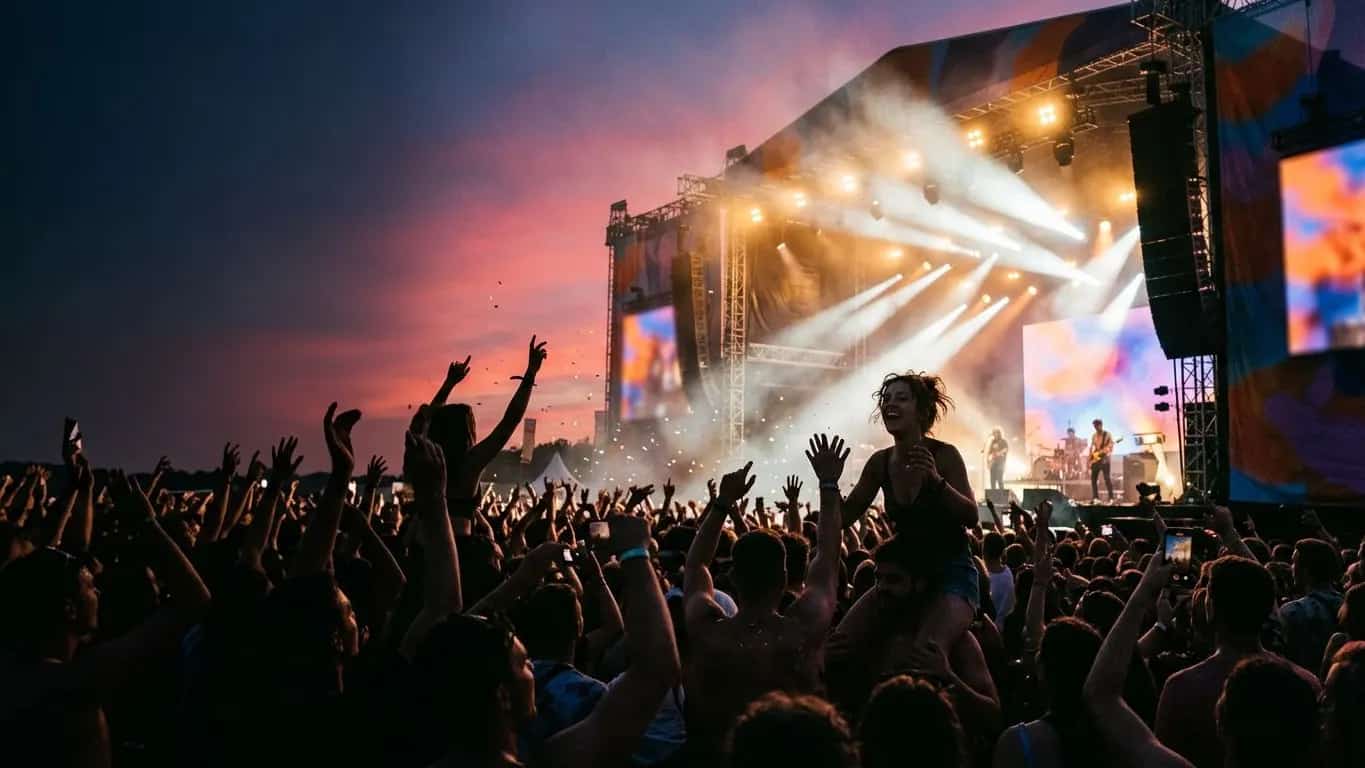
Event sponsorship software
Your post-event recap, built while the event runs.
Build a branded deck with booth and stage mockups, track every deal through your pipeline, turn signed contracts into deliverables, and recap what you promised versus what you delivered, all on one partner page.
- Signage
- Six stage photos attached
- Booth
- 10x10, Row A, ready by build week
- Proof
- stage.jpgbooth.jpgsession.mp4
One title agreement, four deliverables, four kinds of proof.
The signed contract promised main-stage signage, a booth, a speaking slot, and an email send. Here is the recap, line by line.
- Main-stage signage
- Six stage photos delivered
- 10x10 booth
- Row A, with power, ready by build week
- Speaking slot
- Five minutes, main stage, Saturday afternoon
- Email send
- booth.jpgsession.mp4list send
The sponsorship side of the event.
Registration, housing, and AV stay with the tools that already run the show.
What organizers run here
- Branded decks with booth and stage mockups
- Pipeline with stage, value, and close date
- Signed agreements turned into deliverables
- Promised versus delivered, with proof
What stays with other tools
- Attendee registration and ticketing
- Hotel blocks and travel
- AV production and stage management
- Your company-wide CRM
First-year event? Photograph the empty space on a site visit and note booth footprint, backdrop size, and signage placement.
Watch SponsorFlo run a sponsorship season
See Sevens Rugby move from inventory and research through Deck Studio, agreements, deliverables, and renewals — the full seller season in one walkthrough.
Packages sponsors can see before they sign.
A music festival uploads last year's main-stage photo and puts the prospect's logo on the backdrop. That one slide often does more than a page of benefits.
Title signage
Their name on your signage and stage photos, so they see the event with their brand on it.
Booth or activation
A floor photo with their logo in the space; size, power, and placement as deliverables.
Speaking or stage
Session, time slot, and room defined up front, with a clip attached after.
Reception or hospitality
Headcount, guest access, and branded touches, with the guest list and photos after.
Email or list send
The message that went out and the number of recipients as proof.
Gala table
Program-book logo and a stage mention, tracked as two separate deliverables.
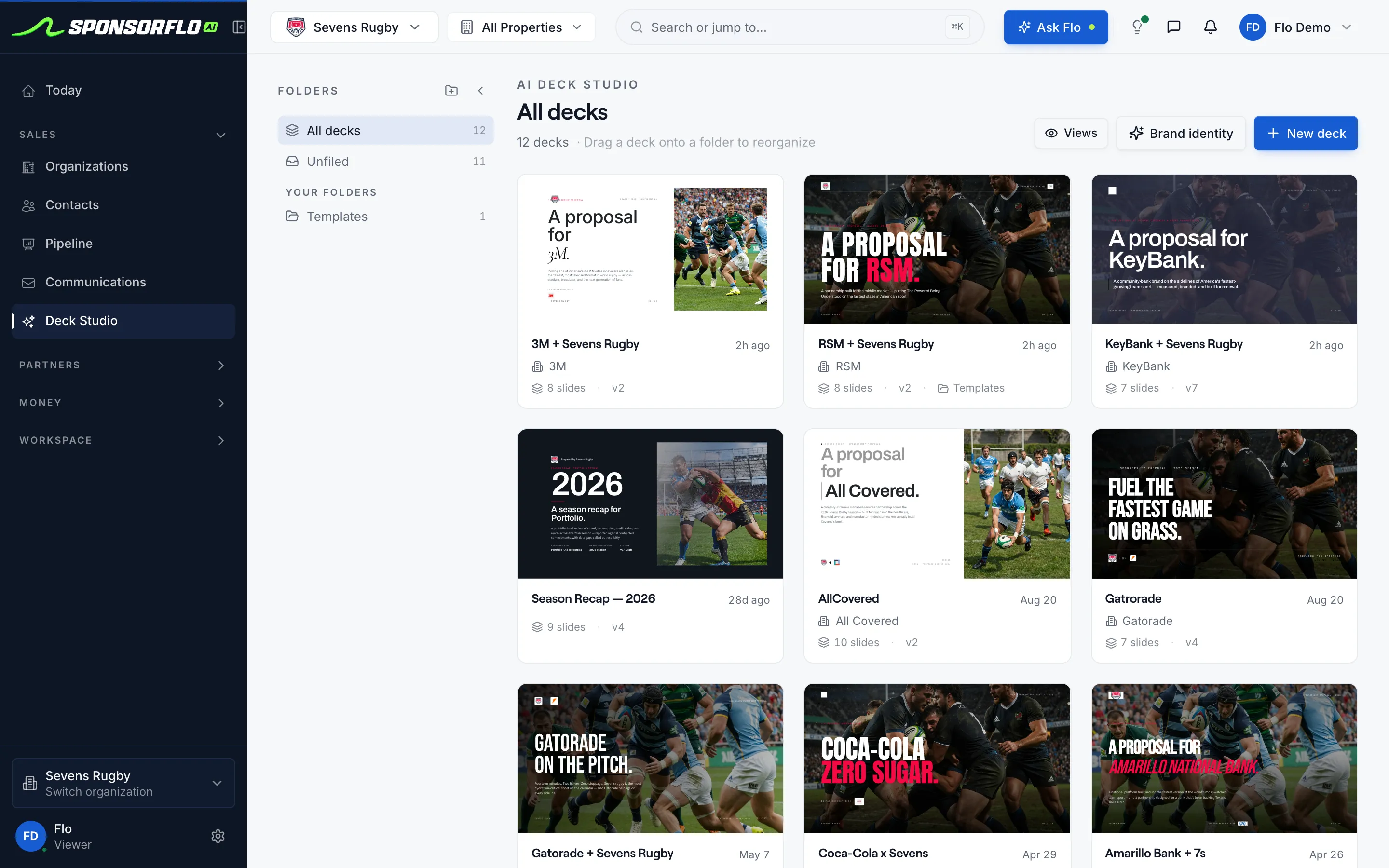
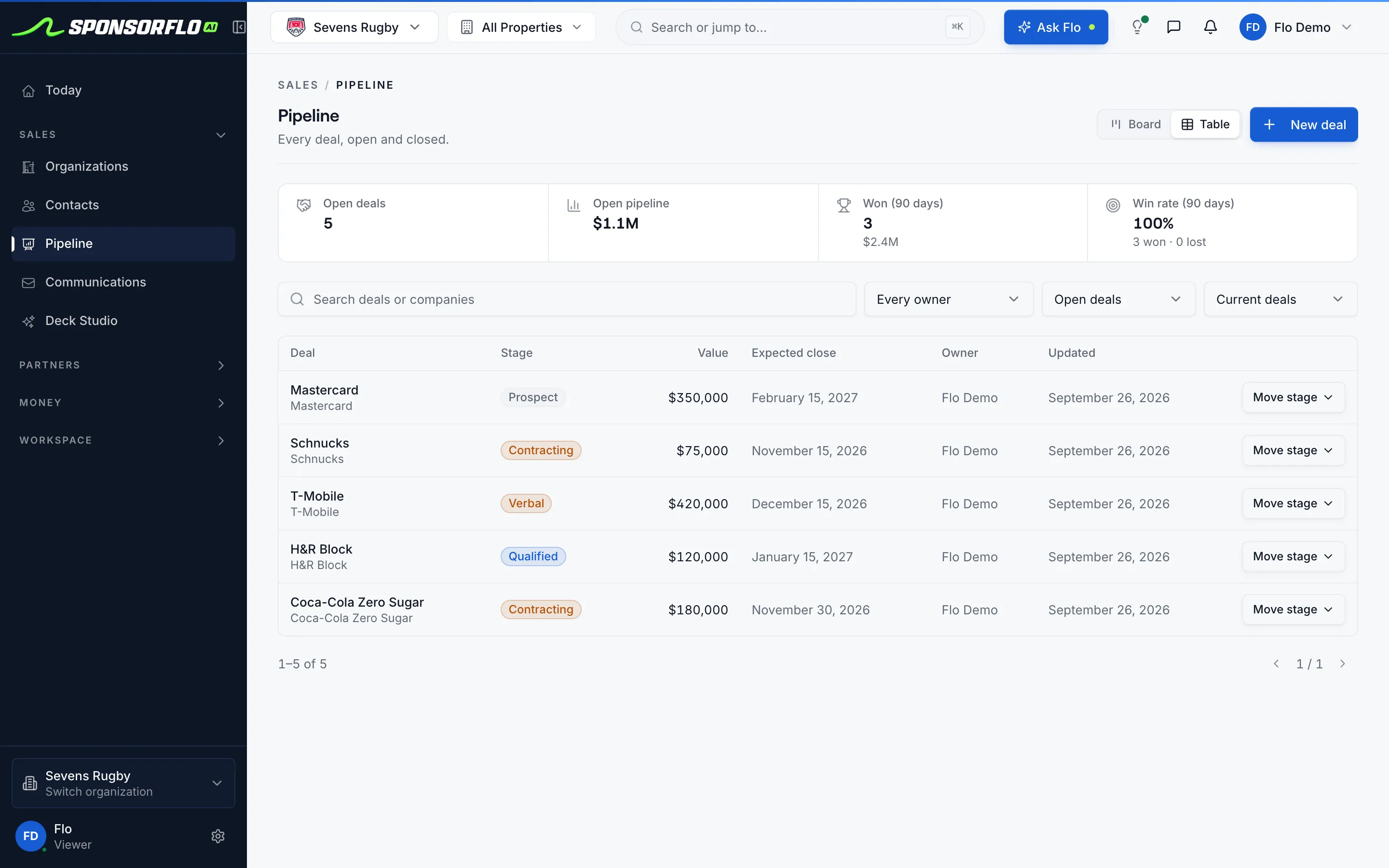
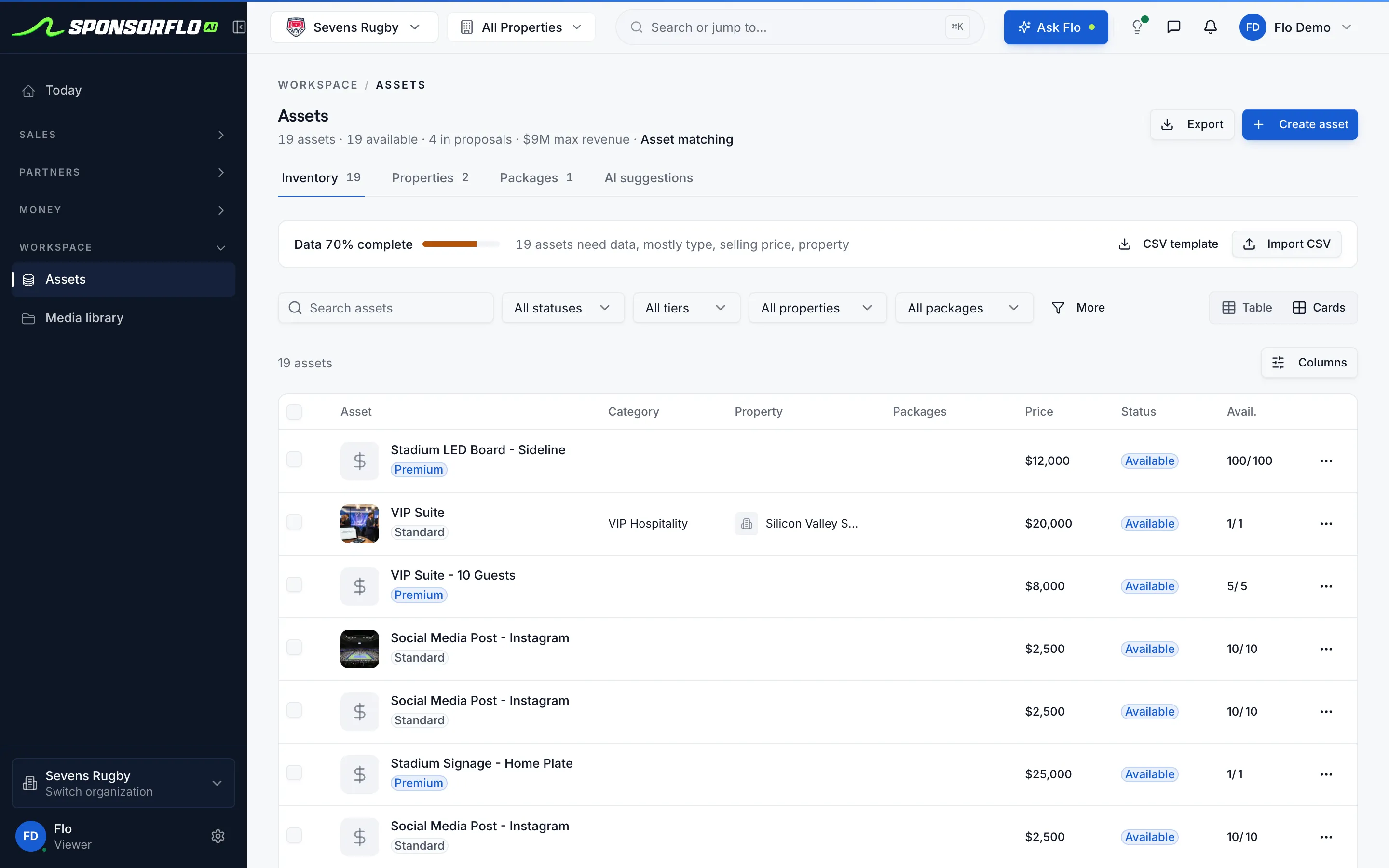
What it looks like in SponsorFlo.
Screens from our read-only demo workspace.
Questions
Running a conference? See conference sponsorship.
What is event sponsorship software?
Event sponsorship software is what organizers use to build branded decks with venue mockups, manage sponsor deals in a pipeline, track contracted deliverables, and recap promised versus delivered, from one workspace.
What types of events does SponsorFlo support?
Festivals, galas, community days, fundraisers, and multi-day shows. Conferences with exhibit halls can also see the conference sponsorship page.
How does the deck show booth and stage placements?
Upload your own venue photos and Deck Studio places the sponsor's logo on them, so they see their brand on your actual stage or booth row.
How do signed packages turn into tasks?
Upload the signed contract and AI creates deliverables with due dates, so booth setup, stage minutes, and list sends are not retyped.
Does SponsorFlo handle registration or housing?
Those stay with your event-ops tools. Allotted tickets and hospitality are tracked as deliverables on the sponsor's agreement.
Can sponsors see their deliverables and proof?
Yes, through a shared Partner Portal link, so they can report results without waiting for your recap email.
Event sponsorship software
A platform organizers use to create branded sponsorship decks with venue mockups, manage sponsor deals through a pipeline, track fulfillment of every contracted benefit, and recap delivered value after the event, all from one workspace.
Read the full event sponsorship software guide
Event sponsorship software: how to build packages, sell sponsors, and recap results
Event sponsorship software helps organizers build branded sponsorship decks, manage a pipeline of sponsor deals, fulfill contracted deliverables, and recap what was promised versus what was delivered. SponsorFlo brings every step into one workspace so the deck, the signed agreement, the proof photos, and next year’s renewal conversation live on the same partner page instead of scattered across folders and spreadsheets.
What should event sponsorship software do?
Event sponsorship software should handle the four things every organizer does with sponsors: pitch, sell, deliver, and prove. If a tool covers only one of those, the rest end up in spreadsheets, email threads, and shared drives that nobody updates after the event. A complete workflow looks like this:
- Pitch: build a branded deck with the sponsor’s logo mocked onto your own venue photos so they see what their brand looks like on your stage, booth row, or reception space.
- Sell: track every deal through a pipeline with stage, value, expected close date, and owner, and send the deck as a tracked link that tells you when a prospect viewed it.
- Deliver: turn the signed agreement into deliverables with due dates and attach proof as each one runs—a photo of the booth, a link to the social post, a clip of the stage mention.
- Prove: recap what you promised versus what you delivered, with photos and impressions, and start the renewal conversation from the same record.
How do you build an event sponsorship deck?
A strong event sponsorship deck shows the prospect exactly what their brand looks like at your event, not a wall of bullet points. In SponsorFlo, you add your sellable inventory—title, booth, stage, reception, email send—with category, tier, and price. Deck Studio then builds a branded deck from that inventory and your brand identity, and mocks the sponsor’s logo onto your own venue photos. Each prospect gets their own version of the deck with version history, and when you send it as a tracked link, every view is logged against the deal.
For example, a music festival selling a main-stage title sponsorship can upload last year’s stage photo and mock the prospect’s logo on the backdrop. The sponsor sees their brand on the actual stage rather than imagining it from a description. That single slide often does more to close the deal than a page of benefits.
How do you photograph your venue for sponsor mockups?
Floor photos from last year’s event work well if the layout is unchanged. Capture the main stage, a representative booth row, and the reception room you allot to sponsors. Mock the sponsor’s logo on those real stills rather than using stock convention hall imagery, because the mockup should show your actual inventory, not a generic venue. If this is a first-year event, photograph the empty space during a site visit and note the dimensions sponsors will care about—booth footprint, stage backdrop size, and signage placement.
How do you manage event sponsor deals through a pipeline?
Give every sponsor opportunity a stage, a value, an expected close date, and an owner, and track them in SponsorFlo’s pipeline. The pipeline view shows open pipeline value, the number of open deals, and your win rate at the top of the page, with every deal listed below. When you send a deck as a tracked link, views are logged against the deal, and replies from your connected Gmail or Outlook inbox appear in the same thread. A weekly pipeline review takes minutes: move stalled prospects forward or close them out, follow up with anyone who viewed the deck but has not replied, and confirm that the total value you expect to close before the event is realistic.
How do signed sponsorship agreements become deliverables?
When a sponsor signs, upload the PDF or Word contract and SponsorFlo’s AI reads it and creates deliverables with due dates. A title sponsorship agreement that promises main-stage signage, a 10x10 booth, a five-minute speaking slot, and a pre-event email send becomes four deliverables, each with a due date, a priority, and a place to attach proof. The deliverables view shows what is completed, in progress, and overdue for every sponsor, so you catch a missed booth setup or a late email send before the sponsor notices.
For example, a gala chair who sold a table sponsorship with a program-book logo and a stage mention can track both as separate deliverables. After the event, they attach a photo of the program page and a clip of the emcee’s mention, and the sponsor’s partner page shows every benefit that was fulfilled.
What belongs in a post-event sponsor recap?
The recap compares what you promised with what you delivered, with proof attached to every line. Lead with photos and attendance figures you can stand behind. A booth sponsorship gets a floor photo showing the sponsor’s signage in place. A stage sponsorship gets a clip or photo of the session. An email send gets the actual message and the number of recipients. SponsorFlo stores all of this on the same partner page as the original agreement, so the recap is already built by the time the event ends.
- Booth or activation: a photo of the sponsor’s signage on the floor, with foot-traffic notes if available.
- Stage or speaking: a photo or clip of the session, with the time slot and room.
- Reception or hospitality: guest count and photos from the event.
- Email or list send: the message that went out, the number of recipients, and any open or click data.
- Title sponsorship: all of the above, plus any venue signage, program mentions, and social posts.
How do you start the renewal conversation?
Start renewal conversations a few months before the next event, while the sponsor still remembers the results. Because the original agreement, the deliverables with proof, and any video exposure data all live on the same partner page, you can walk into the meeting with a complete record of what you delivered and propose an upgrade backed by evidence. If a deliverable fell short—a booth that was smaller than promised or a stage session that ran late—address it in the same conversation and offer a make-good in next year’s package.
Who uses event sponsorship software?
- Festival and community-day producers who package title, booth, stage, and activation sponsorships.
- Gala and fundraiser chairs who sell table sponsorships and program titles to local businesses.
- Event operations leads who turn signed sponsorship agreements into fulfillment tasks before doors open.
- Small teams without a designer who still need a professional deck with venue mockups.
What does event sponsorship software not handle?
Attendee registration, hotel blocks, and AV production stay with specialist event-ops tools. In SponsorFlo, allotted tickets and hospitality are tracked as deliverable lines on the sponsor’s agreement, so you have a complete record of what each sponsor received without replacing your ticketing or housing platform.
- Conference sponsorship — booth, session, and lanyard tiers for professional meetings
- Deck Studio — AI builds a branded sponsorship deck from your inventory
- AI mockups — sponsor logo mockups on your own venue photos
- Event sponsorship guide — how to build packages and recap post-event results
Related solutions and features
Conference sponsorship
Booth, session, and lanyard tiers for professional meetings
Learn moreResourceGolf tournament sponsorship packages
Levels, hole sponsor ideas, and a worked golf outing package
Learn moreFeatureDeck Studio
AI builds a branded sponsorship deck from your inventory
Learn moreFeatureAI mockups
Sponsor logo mockups on your own venue photos
Learn moreResourceEvent sponsorship guide
How to build packages and recap post-event results
Learn moreClose the doors with the recap already done.
Open the demo workspace to see decks, pipeline, deliverables, and proof on one partner page.