
Sponsor invoice & payments
Sponsor invoice and payment collection from agreement to Stripe in minutes.
SponsorFlo is sponsor invoice and payment collection software for teams, events, and nonprofits that sell sponsorships. Create invoices from a signed agreement, send a Stripe payment link the sponsor can pay by card or ACH, and optionally sync everything to QuickBooks Online.
How it works
Build the invoice from your agreement
Upload a signed PDF or Word contract and AI extracts the installment amounts and due dates, or enter them yourself. Each installment becomes an invoiceable line on the deal.
Send a Stripe payment link to the sponsor
The sponsor opens the link and pays by card or ACH without creating a new account. Stripe processing fees apply on the collected amount.
Sync to QuickBooks Online if you use it
Two-way sync keeps the invoice and payment status current in QuickBooks Online. It is optional, so teams that do not use QBO skip this step entirely.
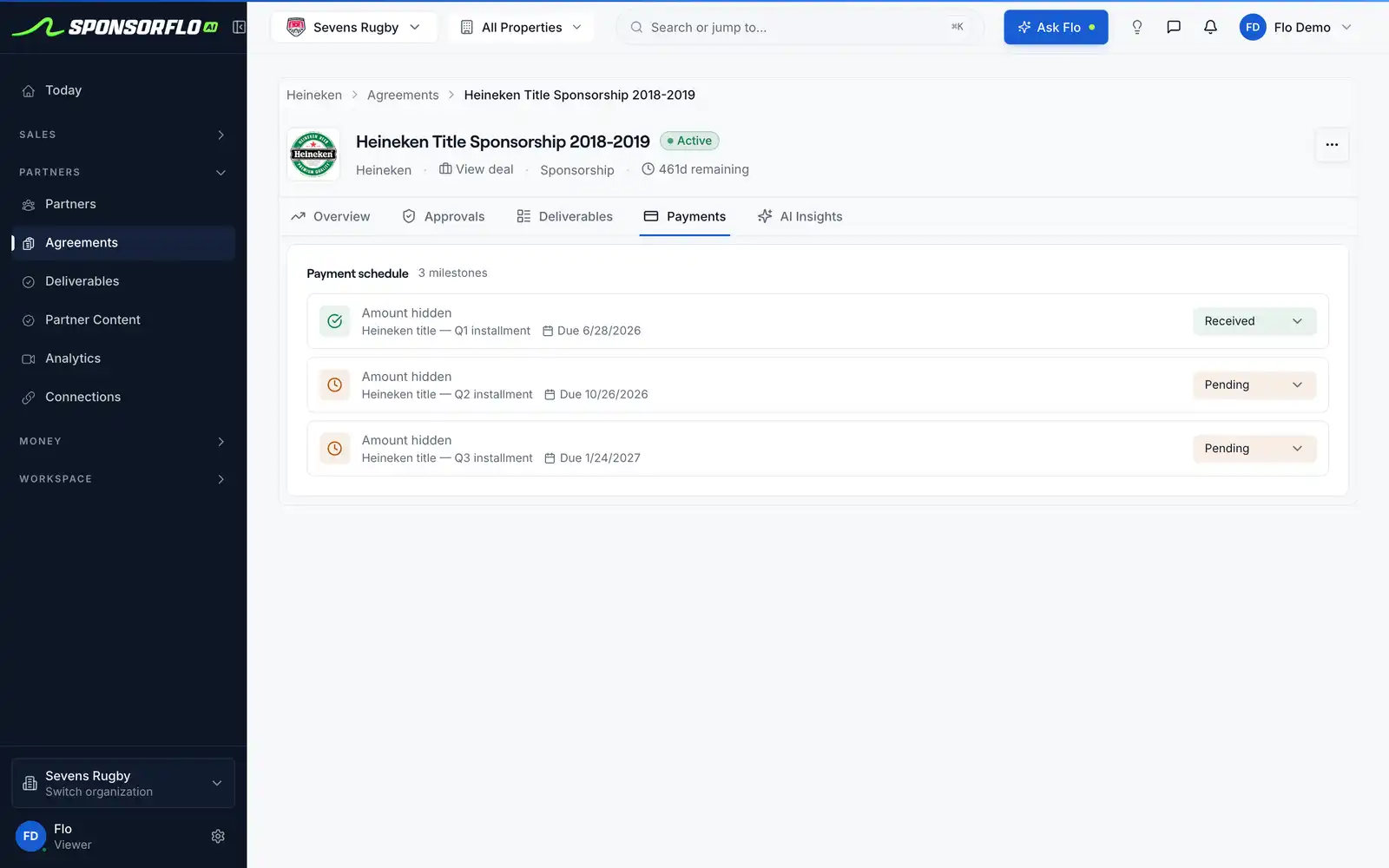
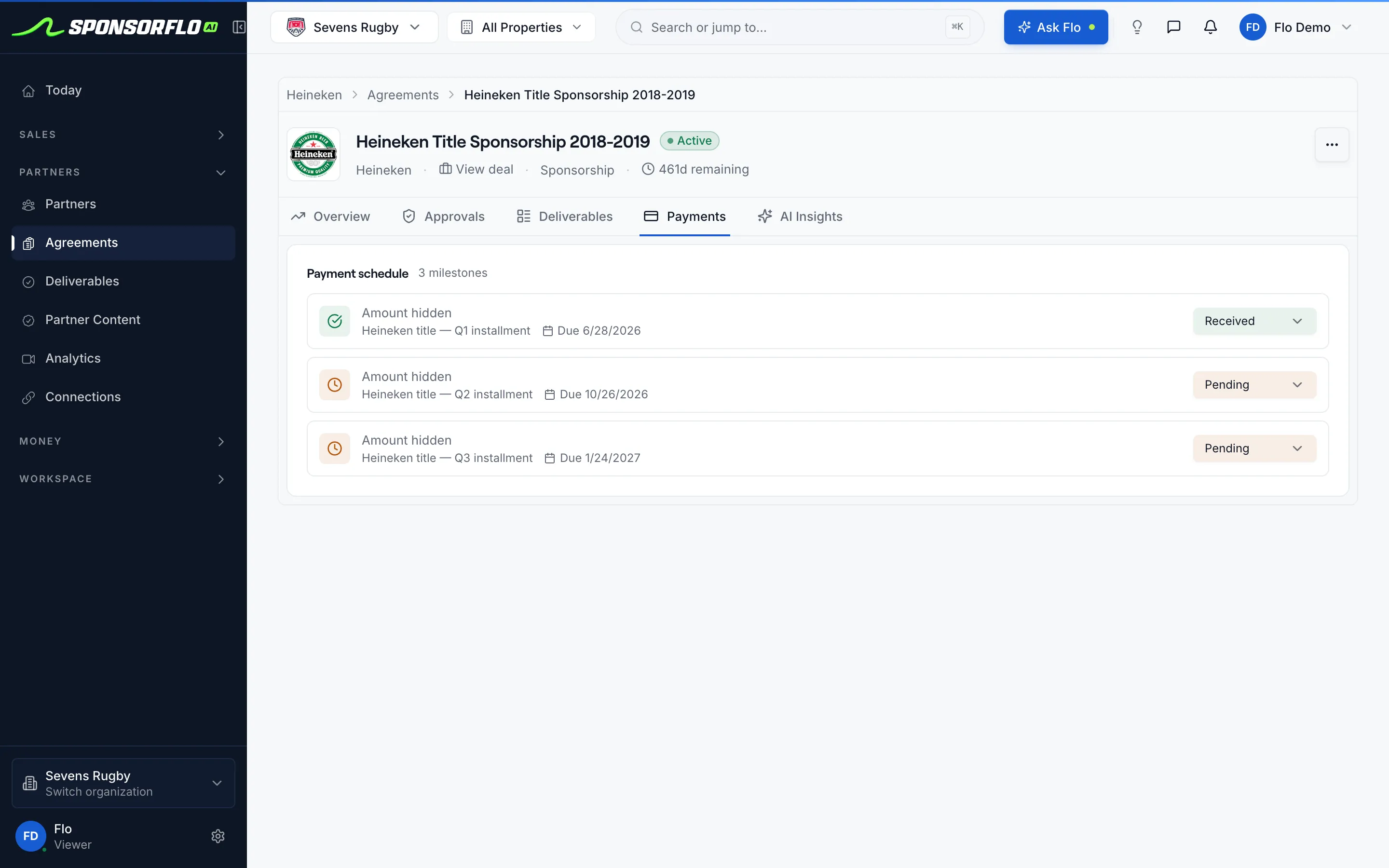
The installment schedule lives on the signed agreement.
Heineken’s three-installment schedule sits next to the extracted $225,000 fee on the Red Bull record, so billing matches the contract.
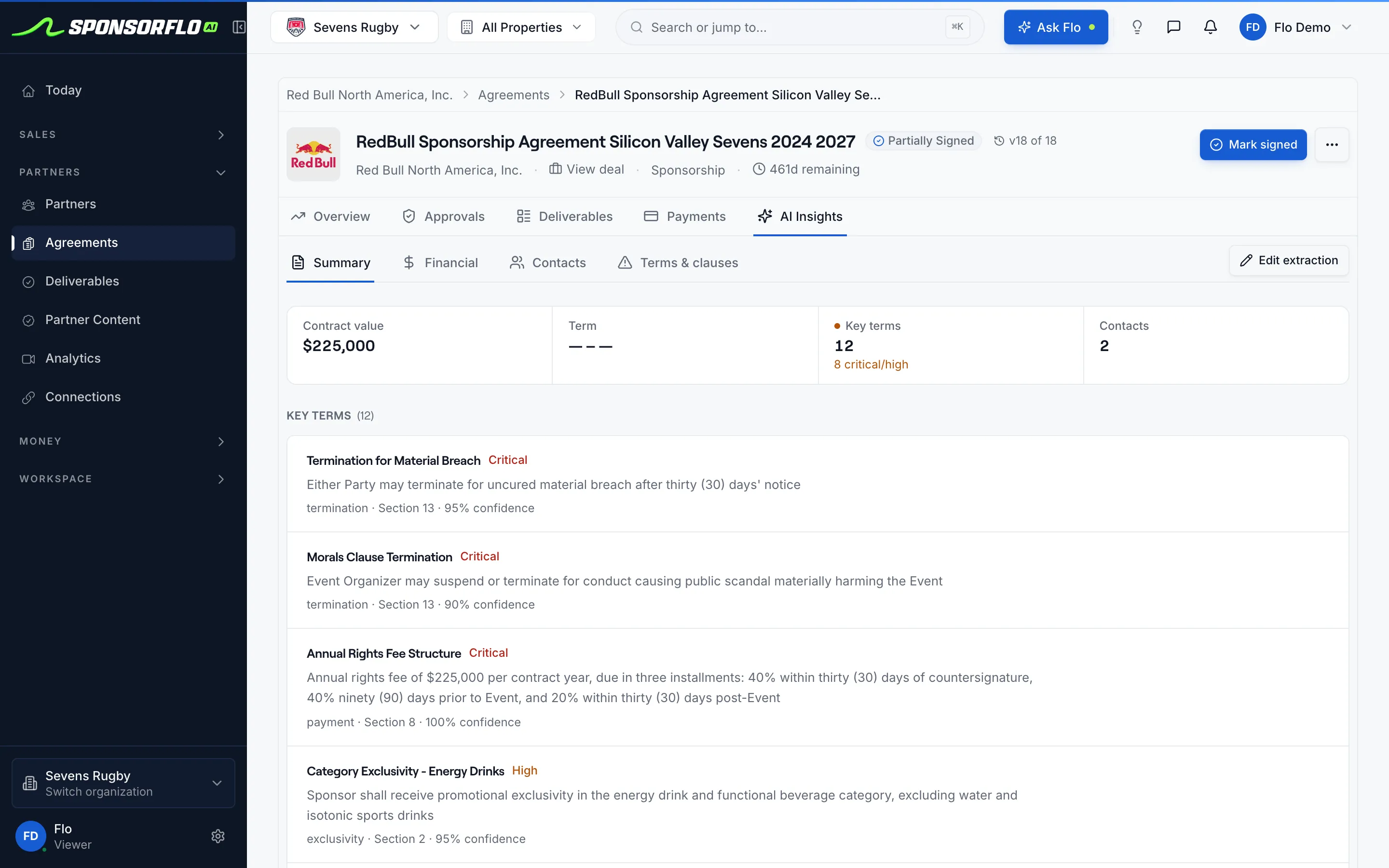
Before and after the sponsor pays.
What the sponsor invoice includes
- Installment amount and due date from the signed agreement.
- A Stripe payment link the sponsor pays by card or ACH.
- Payment status visible on the agreement: pending, paid, or overdue.
- Optional two-way sync with QuickBooks Online.
What happens after the sponsor pays
- Payment status updates automatically on the agreement.
- QuickBooks Online stays in sync if you enabled the integration.
- The next installment is already scheduled with its own due date.
- Deliverable fulfillment continues on the same partner record.
Watch SponsorFlo run a sponsorship season
See Sevens Rugby move from inventory and research through Deck Studio, agreements, deliverables, and renewals — the full seller season in one walkthrough.
Sponsor invoices for every kind of deal.
Whether you are collecting on a six-figure title sponsorship or a single gala table, the invoice lives on the same agreement as the deliverables and the signed contract.
Collecting a title sponsorship installment
A title deal splits the fee across two payments. The first installment invoice goes out at signing, the second at mid-season, both linked to the same agreement and partner record.
Invoicing a gala table package
A nonprofit sells a $5,000 table sponsorship and sends a Stripe link directly from the signed agreement instead of directing the sponsor to a separate donation page.
Following up on an overdue invoice
The payments tab shows which invoices are overdue so you can reach out to the sponsor before the next deliverable is scheduled to run.
Keeping your controller in the loop
A finance team that closes the month in QuickBooks Online sees every sponsor invoice and payment status synced there without re-keying data.
Questions
Use QuickBooks Online? See the QuickBooks integration.
What is sponsor invoice and payment collection in SponsorFlo?
SponsorFlo lets you create a sponsor invoice from the installment amounts and due dates in a signed sponsorship agreement, then send a Stripe payment link so the sponsor can pay by card or ACH. Payment status tracks on the agreement, and you can optionally sync invoices and payments two-way with QuickBooks Online.
How does SponsorFlo create a sponsor invoice?
Upload a signed PDF or Word contract and AI extracts the installment schedule, or type the amounts and dates yourself. Each installment becomes an invoice draft on the agreement that you can send as a Stripe payment link.
Does SponsorFlo take a commission on the sponsorship fee?
No. SponsorFlo does not take a percentage or commission on the amount the sponsor pays. Stripe processing fees apply on the collected amount, but those go to Stripe, not SponsorFlo.
Is QuickBooks required for payment collection?
No. Stripe payment collection works on its own. QuickBooks Online two-way sync is optional for teams whose finance staff already closes the month in QBO.
What payment methods can a sponsor use?
Card and ACH, depending on the payment methods you enable in your Stripe account. The sponsor opens the payment link and pays without creating a new login.
How do I know which sponsor invoices are overdue?
Each invoice carries a due date and a status of pending, paid, or overdue. The payments tab on the agreement shows you which installments are still outstanding so you know who to follow up with.
Sponsor invoice
A sponsor invoice is a payment request tied to a signed sponsorship agreement. It carries the installment amount, due date, and a payment link the sponsor uses to pay by card or ACH. In SponsorFlo, invoices are created from the agreement record and collected through Stripe.
Read the full sponsor invoicing guide
Sponsor invoice and payment collection: how to invoice sponsorships and collect through Stripe
A sponsor invoice turns the fee in a signed sponsorship agreement into a payment the sponsor can complete online. SponsorFlo creates invoice drafts from the installment amounts and due dates in your agreement, sends a Stripe payment link the sponsor pays by card or ACH, and optionally syncs invoices and payments two-way with QuickBooks Online. The result is that billing lives on the same record as the deal, the deliverables, and the signed contract, so your team and your finance staff always know who has paid and who has not.
How do you create a sponsor invoice in SponsorFlo?
You create a sponsor invoice by uploading a signed PDF or Word contract to the agreement record. SponsorFlo’s AI reads the document and extracts the installment schedule, including amounts and due dates, then turns each installment into an invoice draft. If you prefer, you can type the installments manually. Either way, the invoice is linked to the partner, the deal, and the original contract so nothing gets disconnected.
For example, a minor league team signs a $40,000 title sponsorship paid in two installments: $20,000 at signing and $20,000 at the midseason break. After uploading the signed PDF, SponsorFlo creates two invoice lines with the correct amounts and dates. The partnership manager generates a Stripe link for the first installment and emails it to the sponsor contact.
How does Stripe payment collection work for sponsorships?
Each invoice generates a Stripe payment link that the sponsor opens in a browser. The sponsor chooses to pay by credit card or ACH bank transfer, depending on the methods you have enabled in your Stripe account. The sponsor does not need to create a SponsorFlo login or a Stripe account to complete the payment.
Stripe processing fees apply on the amount collected and are set by Stripe, not SponsorFlo. SponsorFlo does not take a commission or percentage of the sponsorship fee. The payment page shows the installment amount and your organization name so the sponsor knows exactly what they are paying.
What does a sponsor invoice include?
- Installment amount from the signed agreement for that payment period.
- Due date so both sides know when payment is expected.
- Stripe payment link the sponsor opens to pay by card or ACH.
- Payment status on the agreement record: pending, paid, or overdue.
- Partner and deal reference linking the invoice to the same record as the contract and deliverables.
How do you track overdue sponsor payments?
Every invoice carries a due date and a status. When the date passes without payment, the status changes to overdue and appears on the agreement’s payments tab. Your team can see at a glance which sponsors have outstanding invoices and reach out before the next deliverable is scheduled to run. The product surfaces the overdue status; the follow-up conversation is yours to have.
How does QuickBooks Online sync work with sponsor invoices?
If your finance team closes the month in QuickBooks Online, you can enable two-way sync. The invoice created in SponsorFlo appears in QBO as a customer invoice, and payment status stays current across both systems. Customers, invoices, and payments sync in both directions, so your controller does not re-key data. QuickBooks Online sync is optional and has no effect on Stripe payment collection if you choose not to use it.
What types of sponsorship deals use invoice collection?
Any sponsorship with a signed agreement and a defined fee can use invoice collection. Common examples include:
- Title sponsorships split across two or more installments during a season.
- Event sponsorships invoiced in full before the event date.
- Nonprofit gala packages where a table sponsor pays a set fee from a signed commitment.
- Multi-year contracts with escalating fees where each year’s installment maps to a line on the agreement.
In each case the installment amounts and dates come from the agreement, not from memory or a side spreadsheet. A charity selling a $5,000 gala table sends the same kind of Stripe link as a venue collecting a $200,000 naming-rights installment.
How does the sponsor experience the payment link?
The sponsor receives a link, opens it in their browser, and sees the installment amount alongside your organization name. They choose card or ACH, complete the payment, and receive a Stripe receipt. There is no SponsorFlo login required and no confusing platform branding. The experience is a clean checkout page focused on the sponsorship fee they owe.
Steps to collect a sponsor payment from start to finish
- Upload the signed agreement (PDF or Word) and let AI extract the installment schedule, or enter installments manually.
- Review the invoice drafts on the agreement’s payments tab to confirm amounts and due dates match the contract.
- Generate a Stripe payment link for the installment that is due and send it to the sponsor contact.
- Track payment status on the agreement record as pending, paid, or overdue.
- If you use QuickBooks Online, enable two-way sync so your finance team sees the same invoice and status.
Tips for managing sponsor invoices across a season
- Match invoice descriptions to the language in the contract so the sponsor recognizes the charge.
- Send the payment link before the due date, not after, to reduce overdue follow-ups.
- Check overdue status weekly during the season so late invoices get addressed before the next deliverable runs.
- Keep the sponsorship fee and your SponsorFlo subscription billing separate in your own records to avoid confusion.
Who is sponsor invoice and payment collection for?
SponsorFlo’s payment collection is built for teams, events, venues, and nonprofits that sell sponsorships and need to invoice the contracted fee without bolting on a separate billing tool. It is especially useful when the installment schedule already lives in the signed PDF and you want a Stripe link the sponsor can pay in minutes. Finance teams benefit from the QuickBooks Online sync, and partnership managers benefit from seeing payment status right next to the deliverables they are responsible for fulfilling.
- QuickBooks integration — two-way sync of customers, invoices, and payments
- AI Agreement Intelligence — extract terms and a billing schedule from a signed PDF
Related features
AI Agreement Intelligence
Extract terms and a billing schedule from a signed PDF
Learn moreResourceQuickBooks integration
Two-way sync of customers, invoices, and payments
Learn moreFeatureAgreement Editor
Draft and edit sponsorship agreements with deliverables
Learn moreSolutionCharities
Sponsorship management for galas, tables, and fundraising events
Learn moreSee a sponsor invoice on a live account.
Explore a demo account with example sponsors and deals, or start a workspace and send your first invoice.