
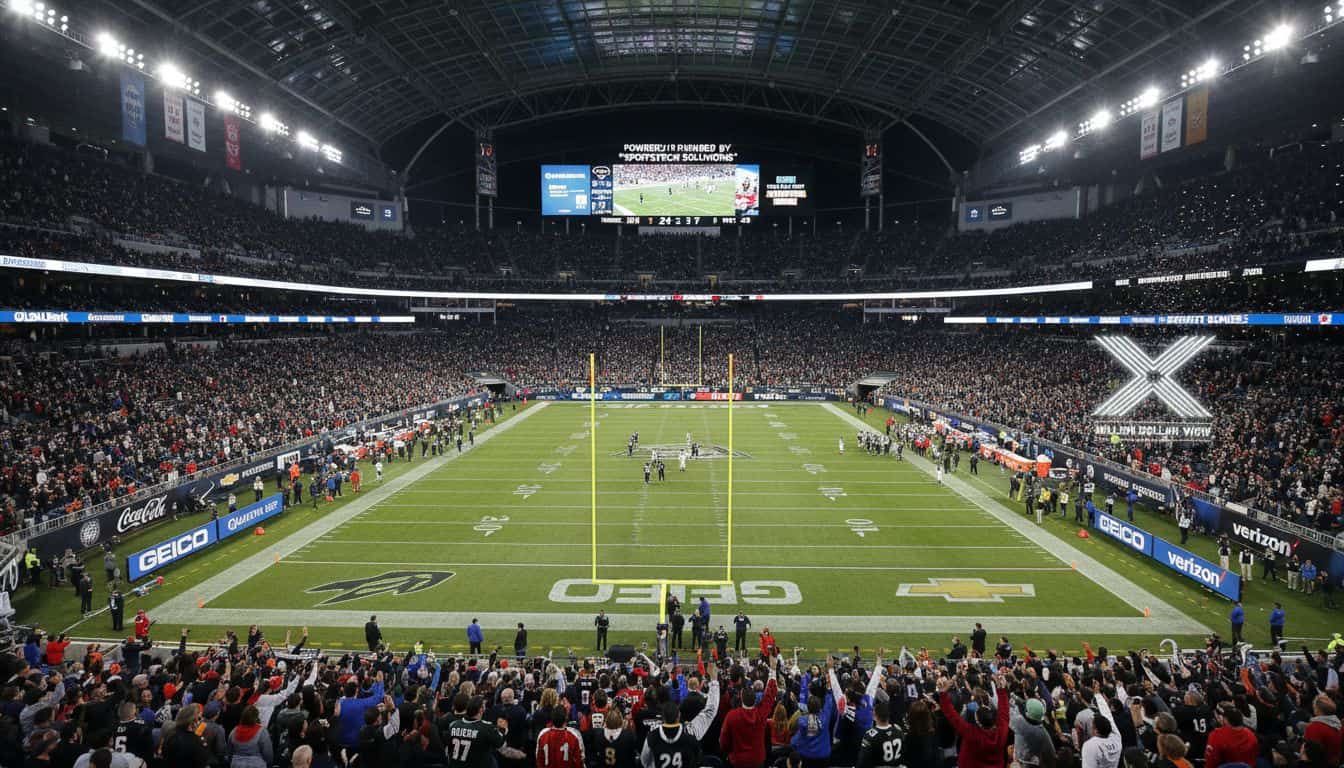
Sponsorship mockup generator
Show them their logo on your jersey before they sign.
SponsorFlo is a sponsorship mockup generator for teams, events, and venues that sell sponsorships. Photograph the jersey, board, or booth you actually sell, upload the sponsor’s logo, and AI places it on your photo in about ten seconds as a slide in the deck they receive.
No Photoshop or designer required.
- Asset
- Home jersey
- Generated
- About 10 sec
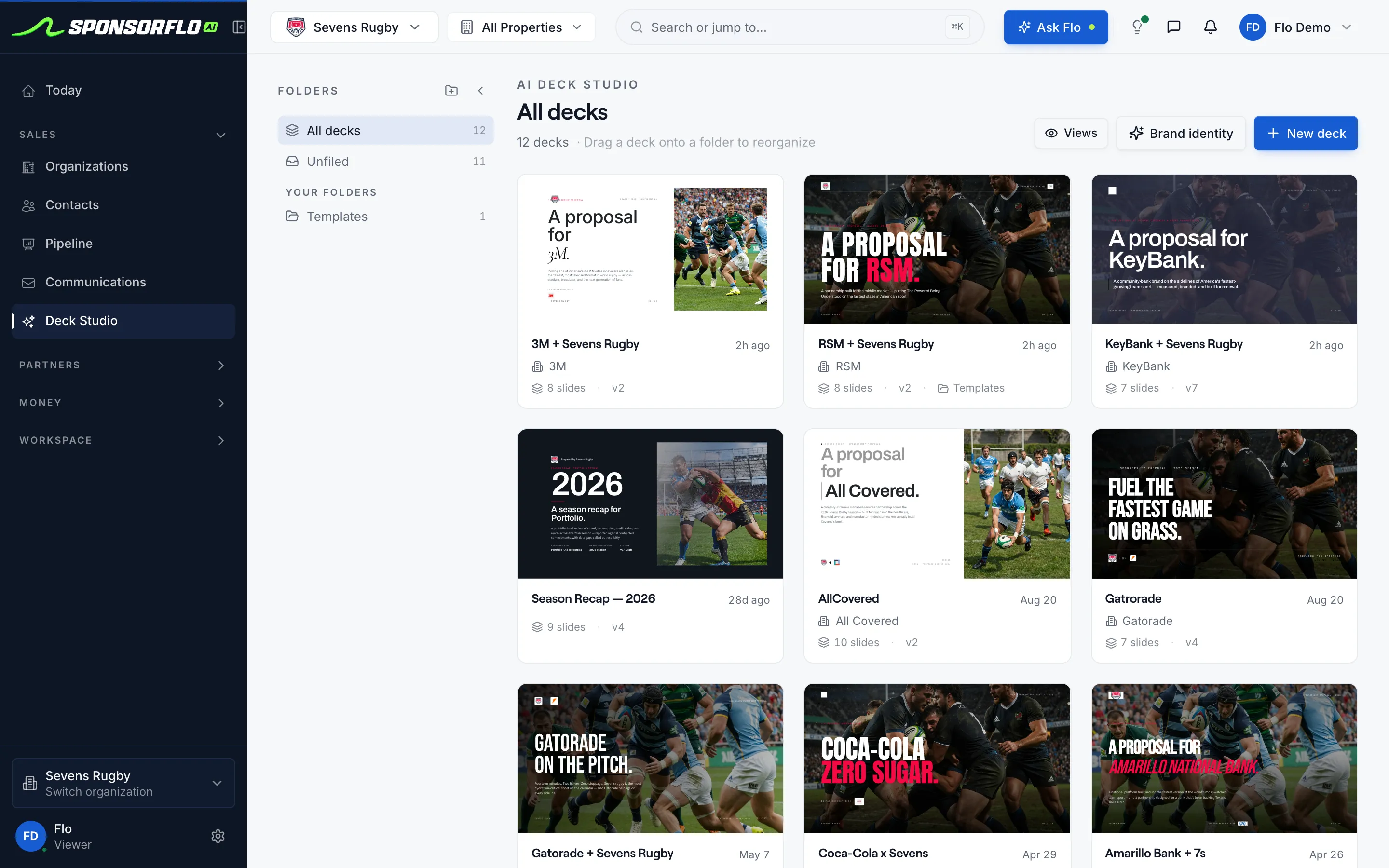
Part of the deck they receive, not a separate Photoshop file.
Watch SponsorFlo run a sponsorship season
See Sevens Rugby move from inventory and research through Deck Studio, agreements, deliverables, and renewals — the full seller season in one walkthrough.
Your photo. Their logo. A sponsorship mockup in about ten seconds.
Sponsors rarely buy placements they cannot picture. A stock stadium render is not your inventory, and a detached JPEG of the logo sits on a desktop with no package or price.
A logo file, a rate card, and a request to imagine the jersey.
The buyer has to picture the placement themselves, then forward an image with no price or next step attached.
- A photorealistic composite on a photo of the jersey, board, or booth you actually sell
- A deck slide next to the package and the price
- Home and away placements when you sell both kits
- A tracked link so you know when they opened it
The mockup travels with the price.
A detached image file sits on someone’s desktop with no context. In SponsorFlo, the mockup is a slide in the deck, next to the package it belongs to. These are slides from the Gatorade × Sevens Rugby proposal in our demo workspace.
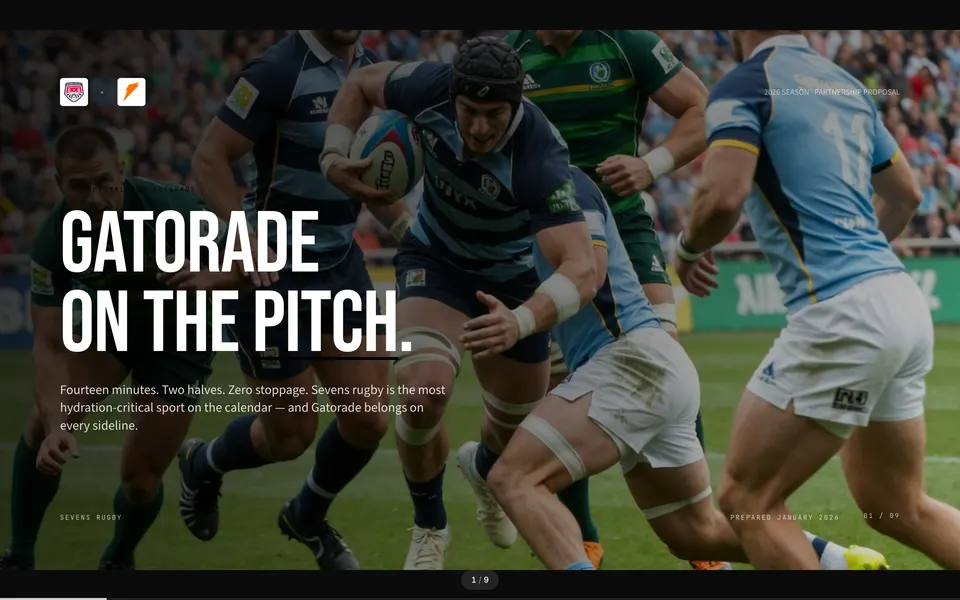 01Cover
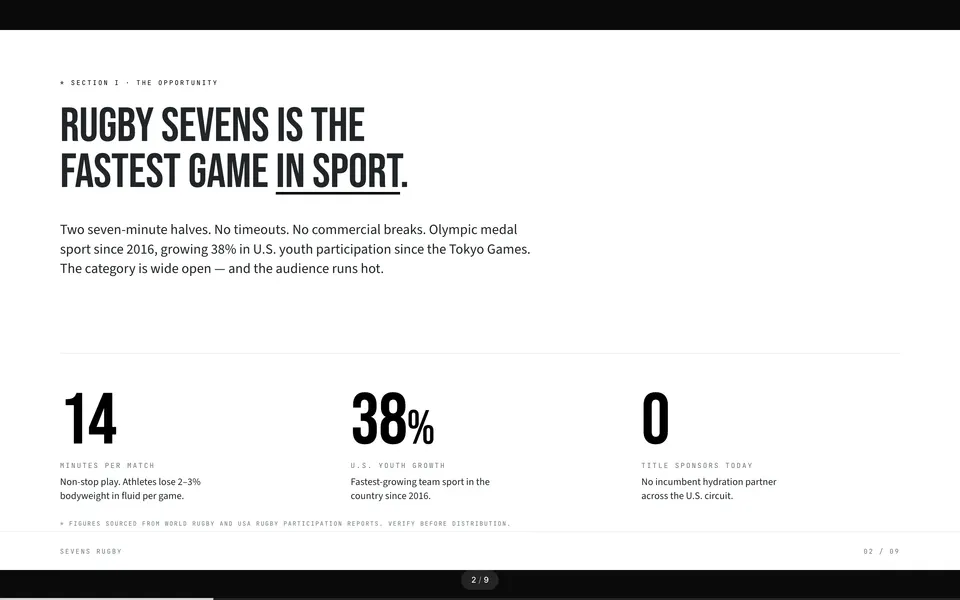 02Opportunity
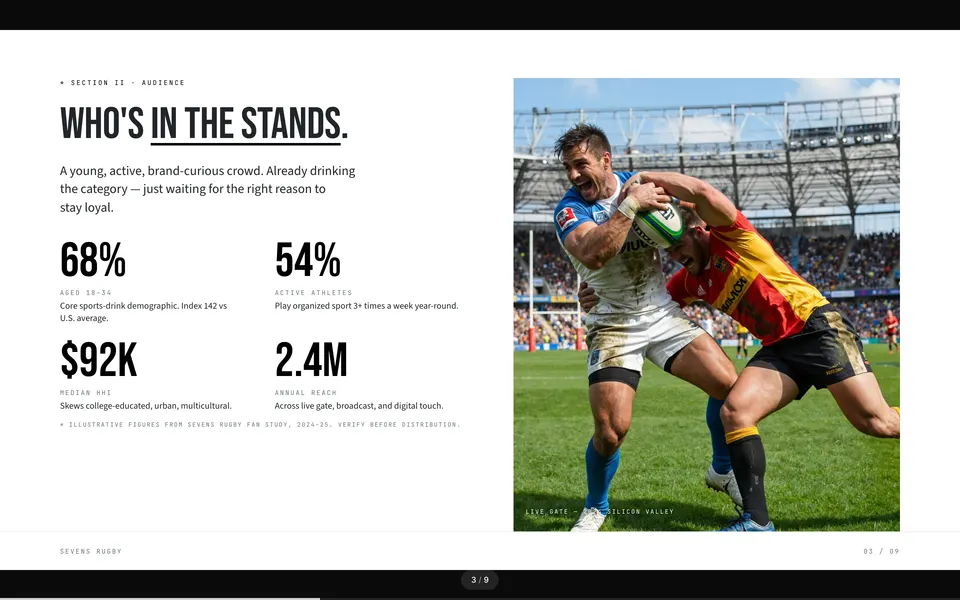 03Audience
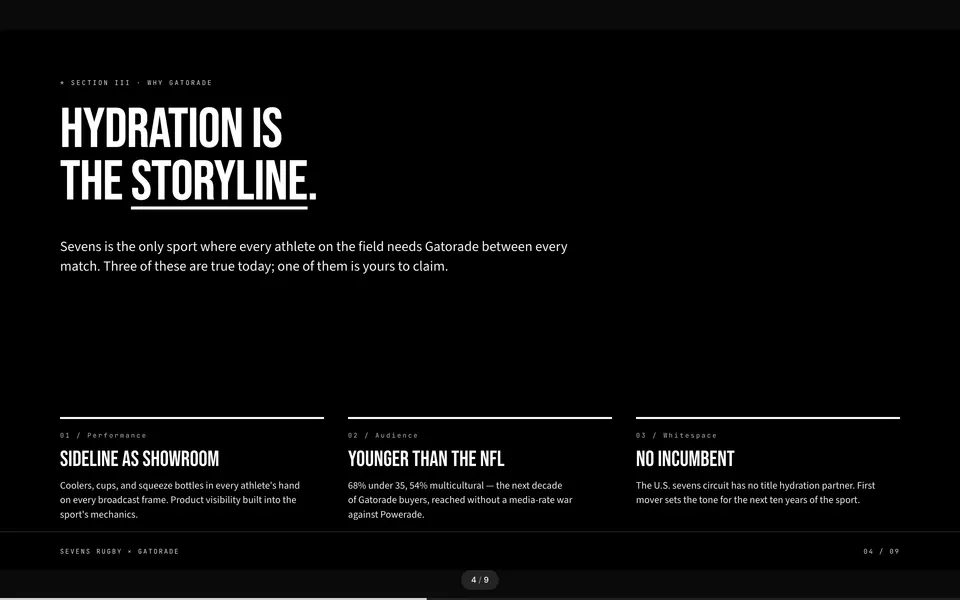 04Fit
04Fit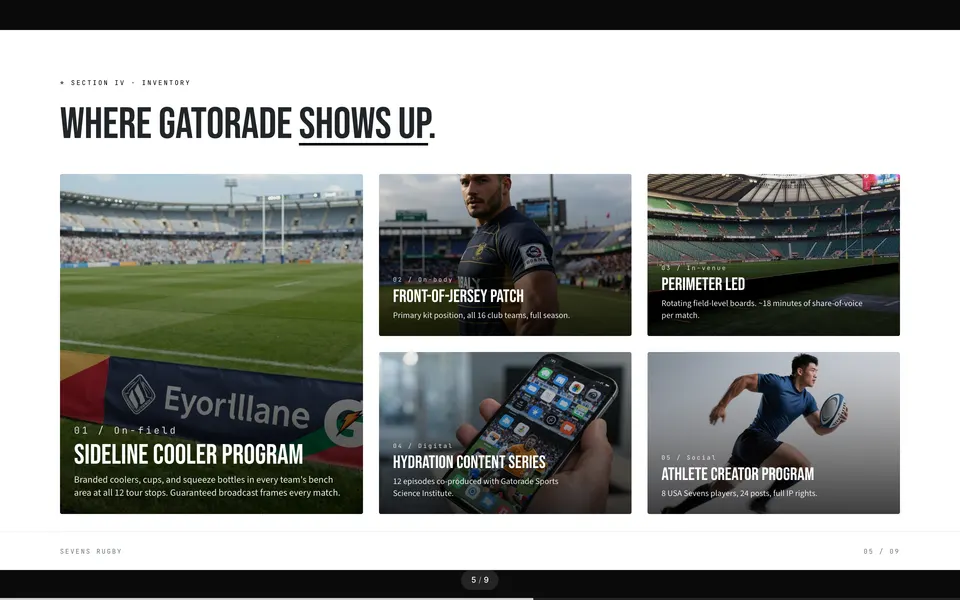 05Placement
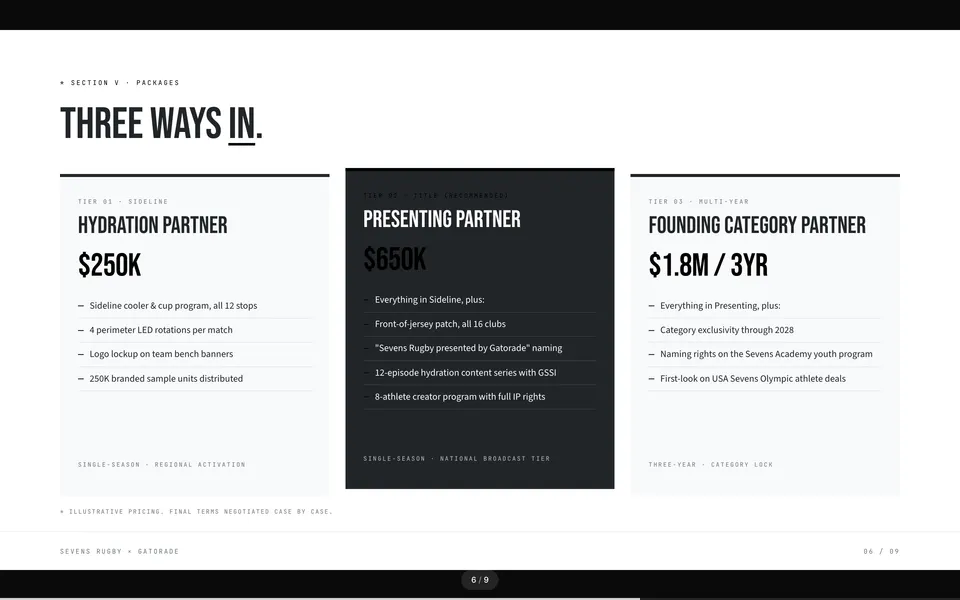 06Packages
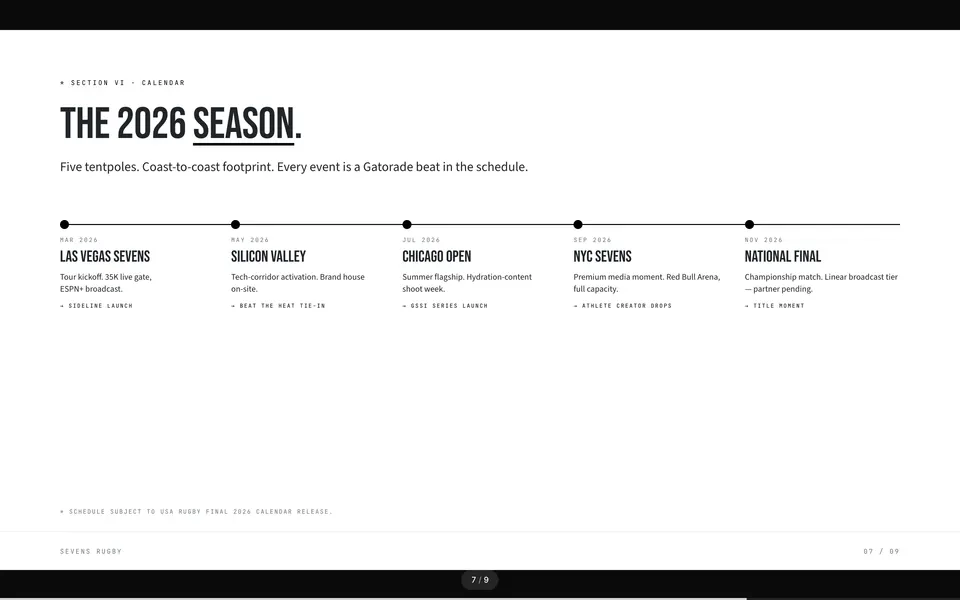 07Calendar
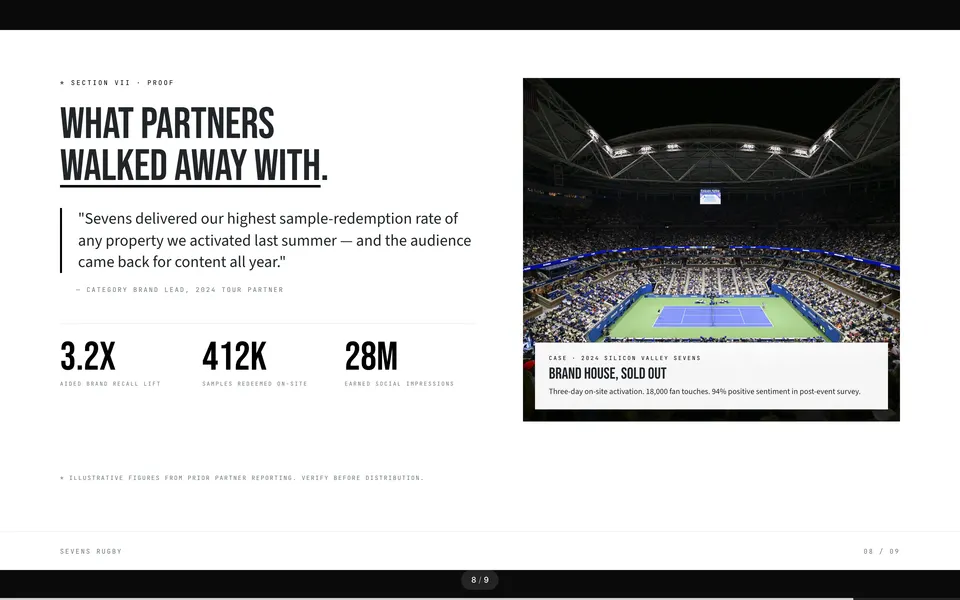 08Proof
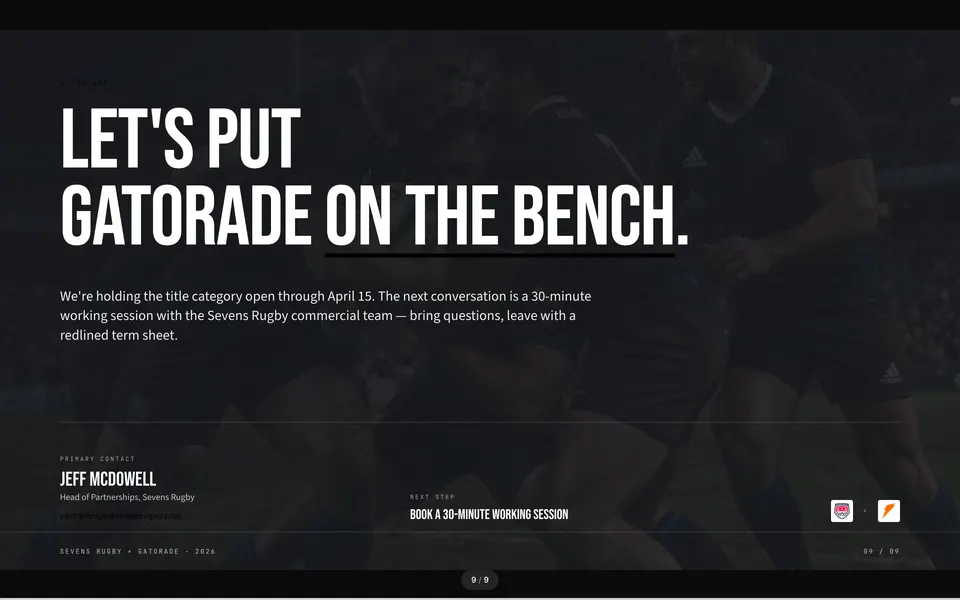 09The ask
A better photo makes a better mockup.
The composite is only as convincing as the shot underneath it. Two checklists, one before the camera and one before the send.
Photograph the real surface
- Repeatable lightingSo mockups look consistent across seasons.
- The asset as it existsWrinkled fabric is fine. A stock stadium render is not your inventory.
- A clear target zoneNo player number or existing graphic where the logo goes.
- LED boards at nightUnder event lighting, so the logo reads on a phone.
- Booths from the aisleThe bare wall, at the angle attendees will see it.
Check every mockup slide
- Size you can produceThe logo matches what production can print or display.
- Nothing you sell separatelyThe mark does not cover a number or another placement.
- Matches the packageSame surface, same side of the kit, same season as the deliverable line.
- Sharp and brightIf the buyer has to squint, reshoot the asset.
- Home and awayInclude both mockups when the package includes both.
Works on anything you sell.
Any flat or gently curved surface with even light makes a strong mockup.
Jersey or kit
Front chest, sleeve, or back. Shoot home and away separately.
LED or fixed board
Courtside, outfield, rink board, or digital ribbon, lit for the event.
Booth or activation wall
The actual surface a sponsor would brand at your event.
Golf tee or hole sign
The real marker at the hole you are selling, not clip art.
Broadcast set or end card
A still from the lower third, backdrop, or YouTube end screen.
Program page or print ad
The layout the buyer would see in the event booklet.
A local dealership sees its logo on the real hole-seven tee sign, one slide before the hole package price. That is something they can approve on the spot.
Use it at renewal, too.
Generate a fresh mockup of next season’s placement, maybe a bigger logo or a better position, and pair it with this season’s delivered impressions. It is much easier for a sponsor to justify a renewal internally when they can see both.
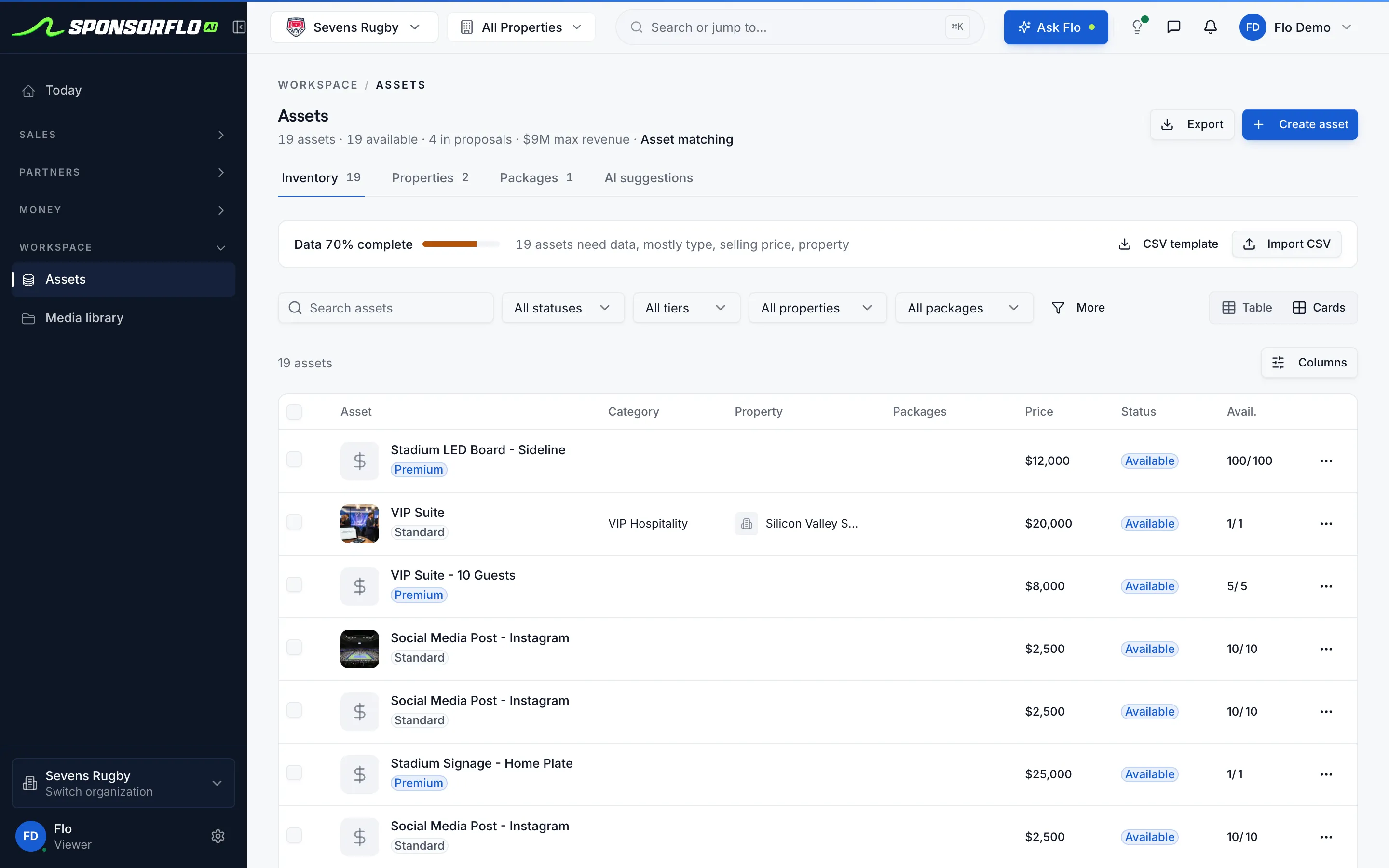
See how proof of performance is trackedWhere mockups live in SponsorFlo.
Screens from Sevens Rugby, our read-only property demo workspace.
Questions
Building the full pitch? See the AI deck builder.
What is a sponsorship mockup?
A sponsorship mockup is a composite image that places a sponsor’s logo on a photo of the asset you sell, such as a jersey, LED board, booth wall, or broadcast set. SponsorFlo generates these mockups in Deck Studio so the result goes straight into the pitch deck as a slide, not a standalone file.
How long does it take to generate a mockup?
About ten seconds for a first pass on a well-lit photo. You upload the sponsor’s mark, position it on the asset, and the AI renders a photorealistic composite in Deck Studio.
Do I need Photoshop or a graphic designer?
No. Photograph your asset, upload the logo, and place it in Deck Studio. A designer can still refine the final production-ready file later, but the mockup slide is ready to send without one.
Which asset types produce the best mockups?
Jerseys, LED boards, booth walls, set backdrops, golf tee signs, and program pages all work well. The key is photographing the real surface with clean, even lighting rather than using a stock render.
How does the mockup get to the sponsor?
The mockup is a slide in the deck you build in Deck Studio. You send the deck as a tracked link from the sponsor’s deal record, and SponsorFlo reports back when they view it.
Can I create mockups for home and away jerseys?
Yes. Photograph each kit separately, generate a mockup for each, and include both slides in the same deck when you sell both placements.
Sponsorship mockup
A composite image that places a sponsor’s logo on a photograph of the inventory you sell—jersey, board, booth, signage, or broadcast set. In SponsorFlo, the mockup is generated in Deck Studio in about ten seconds and sent as a slide in the pitch deck, not as a standalone file.
Read the full guide to sponsorship mockups
Sponsorship mockups: how to place a sponsor logo on your real assets and send it on the pitch
A sponsorship mockup places a sponsor’s logo on a photo of the asset you actually sell—a jersey, LED board, booth wall, or broadcast set—so the buyer can picture the finished placement before signing. SponsorFlo’s Deck Studio generates these mockups in about ten seconds and drops them straight into a branded pitch deck you send as a tracked link, which means the visual that closes the deal and the proposal that prices it travel together in one file.
What is a sponsorship mockup and why does it matter?
A sponsorship mockup is a composite that shows what a sponsor’s brand will look like on your property’s physical or digital inventory. It matters because sponsors rarely buy placements they cannot visualize. A jersey patch sponsor wants to see their logo on the actual home kit, not on a blank template. An event booth sponsor wants to see their branding on the wall they would walk, not a generic expo hall render. The mockup turns an abstract line item on a rate card into something the buyer can forward to their marketing director and say, ‘This is what we get.’
How do you create a sponsorship mockup in SponsorFlo?
SponsorFlo’s Deck Studio handles the entire workflow from photo to sent pitch. You do not need Photoshop, a freelance designer, or a separate mockup tool. Here is the step-by-step process:
- Photograph the asset you sell—the jersey, LED board, booth wall, tee sign, or broadcast set—with clean, repeatable lighting.
- Upload the sponsor’s logo as a vector or high-resolution PNG.
- Position the logo where the contract would place it, such as the chest of a jersey or the center panel of a booth.
- AI renders a photorealistic composite in about ten seconds.
- The mockup becomes a slide in the deck alongside your package details, pricing, and next steps.
- Send the deck as a tracked link from the sponsor’s deal record in SponsorFlo.
Because the mockup lives inside the deck, it travels with the price. The sponsor never receives a detached image file that sits on a desktop with no context.
Which asset types produce the best sponsorship mockups?
Any flat or gently curved surface with even lighting produces a strong mockup. The most common asset types sponsorship sellers photograph are:
- Jersey or kit: front chest, sleeve, or back placement. Photograph home and away separately when you sell both.
- LED or fixed board: courtside, outfield, rink board, or digital ribbon. A night photo of a lit board is more convincing than a daytime wide shot where the logo would be unreadable on a phone.
- Booth or activation wall: the actual surface a sponsor would brand at your event or conference.
- Golf tee or hole sign: a photo of the real marker at the hole you are selling, not clip-art.
- Broadcast set or end-card: a still from the lower-third, backdrop, or YouTube end-screen.
- Program page or print ad: the layout the buyer would see in the event booklet or game-day program.
How does the mockup get to the sponsor?
The mockup is a slide in the pitch deck you build in Deck Studio. When you send the deck from a sponsor’s deal record, it goes out as a tracked link. SponsorFlo logs every view against that deal, and replies from your connected Gmail or Outlook inbox appear in the same thread. That means you know not only that the sponsor opened the deck, but whether they replied—and you can follow up with context instead of a generic check-in.
Photography tips for better sponsorship mockups
The quality of the mockup depends on the quality of the photo. A few practical guidelines make a noticeable difference:
- Use lighting you can repeat for future shoots so mockups look consistent across seasons.
- Photograph the surface as it actually exists. Wrinkled jersey fabric is fine; a stock stadium render is not your inventory.
- Leave a clean area where the logo would sit. Avoid shots where a player number or existing graphic overlaps the target zone.
- For LED boards, shoot at night or under event lighting so the sponsor can picture the placement in context.
- For booths, shoot the bare wall at the angle attendees would see it from the aisle.
Sponsorship mockups across property types
Teams, events, venues, and media properties all use mockups, but each photographs a different surface. A minor-league baseball team photographs the home jersey and the outfield wall. A tech conference shoots the registration booth and the lanyard badge. A podcast host frames the set backdrop and the episode end-card. The workflow inside SponsorFlo is identical for all of them: upload the sponsor’s mark, place it on the photo, and drop the slide into the deck next to the package and the price.
For example, a golf outing selling hole sponsorships would photograph the tee sign at hole seven, upload the local car dealership’s logo, and generate a mockup that shows exactly what the sign will look like on tournament day. That slide, sitting next to a $2,500 hole-sponsorship package in the deck, gives the buyer something concrete to approve.
What to check before sending a mockup on the deck
Before the deck leaves your outbox, a quick review avoids awkward corrections later:
- Confirm the logo size matches what your production team can actually print or display.
- Reposition the mark if it covers a player number or another element you sell separately.
- Make sure the placement matches the deliverable language in the package tier—same surface, same side of the kit, same season.
- If the photo is dark or blurry, reshoot the asset rather than sending a slide the buyer has to squint at.
- Include both home and away mockups when the package includes both placements.
How a sponsorship mockup moves from photo to sent deck
The workflow is the same whether you are selling a jersey patch, a booth wall, a golf tee sign, or a broadcast end-card. Photograph the surface you actually sell. Upload the sponsor’s logo and place it in Deck Studio. Send the mockup as a slide in the tracked deck so the buyer sees the placement next to the package and the price.
- Photograph the asset you sell—the jersey, booth wall, LED board, or signage surface exactly as it looks today. Clean, repeatable lighting works best.
- Upload the sponsor’s mark in Deck Studio. AI renders a photorealistic composite on your photo in about ten seconds.
- Send the mockup on the deck as a tracked link so you know when the sponsor views it.
What the mockup generator creates, and what happens after you send
The generator creates a photorealistic logo composite on a photo of your real asset, a deck slide alongside the package and price, and home and away placements when you sell both kits. After you send, the deck goes out as a tracked link from the deal record. SponsorFlo logs each view, replies from your connected inbox appear on the same deal, and you follow up knowing exactly what the sponsor saw.
Using mockups in renewal conversations
Mockups are not only for the first pitch. When a renewal conversation begins, you can generate a fresh mockup showing next season’s placement—perhaps an upgraded position or a larger logo—and pair it with proof-of-performance data from the current term. A sponsor who sees last season’s delivered impressions alongside a visual of next season’s placement has a much easier time justifying the renewal internally.
- AI deck builder — build branded sponsorship decks and send them as tracked links
- Mockup generator tool — place a sponsor logo on your asset photo in seconds
- Sports teams — sponsorship management built around jersey, board, and broadcast inventory
Related features
AI deck builder
Build branded sponsorship decks and send them as tracked links
Learn moreResourceMockup generator tool
Place a sponsor logo on your asset photo in seconds
Learn moreSolutionSports teams
Sponsorship management built around jersey, board, and broadcast inventory
Learn moreSolutionEvents
Sell booth and activation sponsorships with branded decks
Learn morePut their logo on your asset in the next minute.
Try the free mockup generator with one photo and one logo. When you are ready, send it inside a tracked deck.