

Sponsor portal
One place to see everything your sponsorships owe you.
Every property you bought, the deliverables each one owes, proof as it runs, and the signed agreement. No chasing recap emails, no digging through Slack.
The brand demo workspace is read-only and needs no signup.
- Riverside FCTitle, 2026 season38 of 40On track
- Harborlight Music FestMain-stage banners14 of 182 overdue
- The Fourth Quarter PodPresenting, 8 episodes16 of 16Complete
- Bayshore Foundation ClassicHole sponsor9 of 9Complete
Open any property. See what is done, what is due, and the proof.
This is the sponsor’s view. Expand a property to see each contracted benefit.
Riverside FCTitle partnership2026 season38 of 40Renews Oct 2026
Signed agreement (PDF) lives on the property row. Proof updates as each deliverable runs.
Harborlight Music FestMain-stage banners3-day festival14 of 18Renews Aug 2026
Signed agreement (PDF) lives on the property row. Proof updates as each deliverable runs.
The Fourth Quarter PodPresenting sponsor8 episodes16 of 16Renews Jan 2027
Signed agreement (PDF) lives on the property row. Proof updates as each deliverable runs.
Bayshore Foundation ClassicHole sponsorOne-day tournament9 of 9Renews May 2027
Signed agreement (PDF) lives on the property row. Proof updates as each deliverable runs.
Watch Brand HQ in action
See how a brand team scores properties, tracks rights, and stays on top of activations and renewals from one HQ view.
Fulfillment as it happens, not a recap months later.
Five properties should not mean five email chains and five recap formats.
We’ll send the season recap in January.
Five properties, five email chains, five recap formats, and gaps you find out about too late.
- Proof appears on each deliverable as it runs
- Overdue items show as overdue, not as silence
- The signed agreement sits right next to the deliverables
- Both sides walk into renewal with the same record
Partner Portal or Brand HQ?
Two ways for a sponsor to see fulfillment. The difference is how many sponsorships they manage.
Managing all of them
The full portfolio across every property the brand has bought.
- – Deliverables, proof, and agreement PDFs
- – Impressions, media value, and spend
- – Hospitality and renewals in the next 180 days
Checking on one sponsorship
A team or event shares a link. The sponsor sees that deal’s deliverables and proof.
- – One property, one link
- – No SponsorFlo login needed
- – Right for a brand with a single local sponsorship
What to look for in a sponsor portal.
Brand HQ covers all six.
Portfolio view
Every property in one list, not a separate login for each sponsorship.
Deliverable detail
Each contracted benefit with status and due date, not just a summary.
Proof on the line
Photos, links, files, and clips stored on the deliverable itself.
Agreement access
The signed PDF on the property row, for the original contract language.
Performance
Impressions, reach, media value, and cost per impression where tracked.
Renewal timing
Upcoming renewals surfaced so nobody is surprised when the term ends.
A property that shows a sponsor exactly what ran, with proof, before the sponsor asks, is a property that earns the renewal.
Selling sponsorships?
Share a Partner Portal link with each sponsor. You will field fewer status emails, and fulfillment becomes something you show proactively instead of defend reactively.
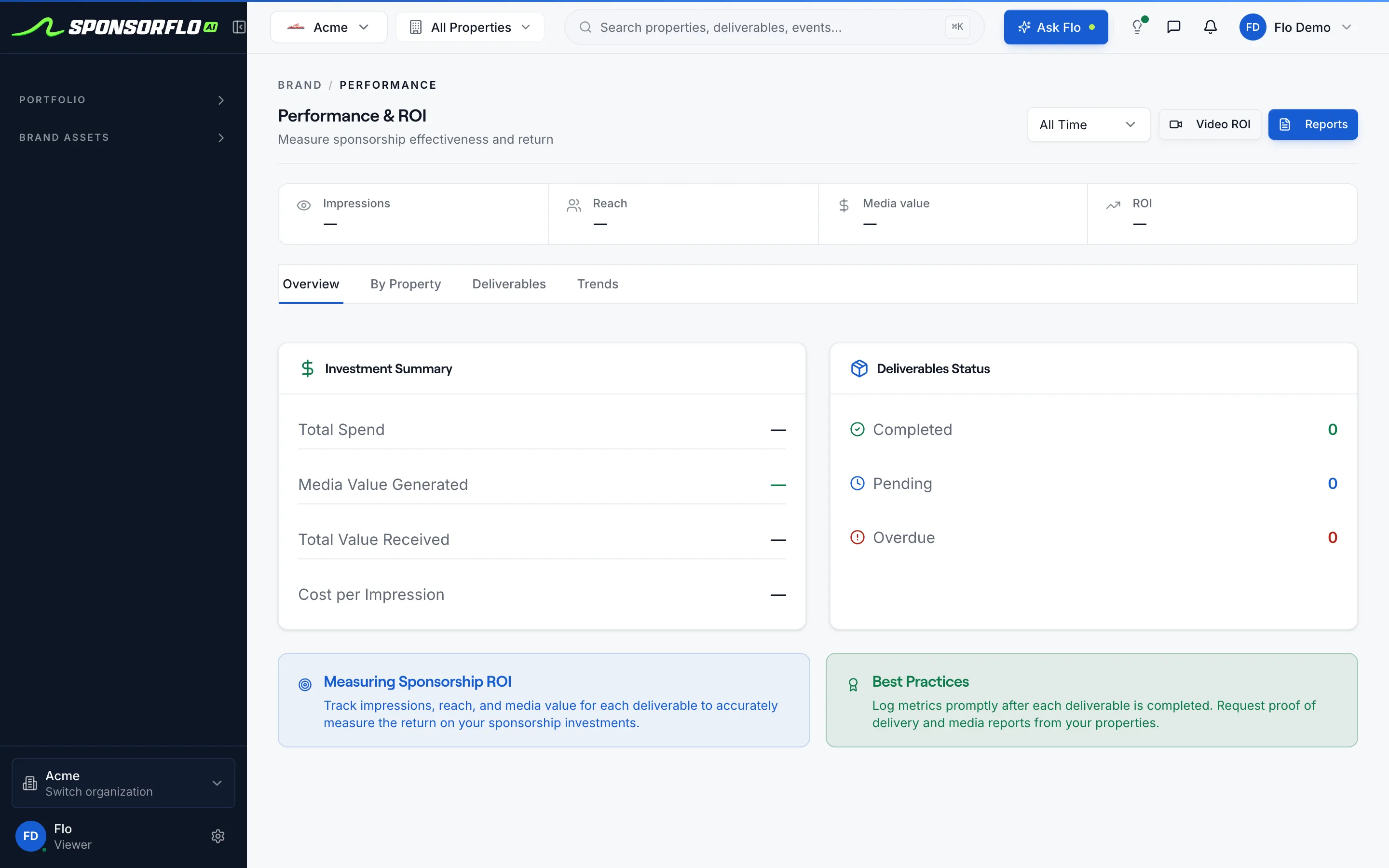
See how deliverables and proof are trackedThe portfolio in Brand HQ.
Screen from Acme, our read-only brand demo workspace.
Questions
Want the numbers too? See brand ROI tracking.
What is sponsor portal software?
Sponsor portal software gives brands a dedicated view of every sponsorship they purchased, the deliverables each property owes, and proof of performance as it is fulfilled. SponsorFlo’s Brand HQ serves as this portal, showing properties, contracted deliverables, attached proof, and agreement PDFs in one place.
How is Brand HQ different from Partner Portal?
Partner Portal is a shared link for a single property that lets one sponsor view their deliverables and proof. Brand HQ is the full portfolio view across every property a brand has purchased, with performance data, renewal timing, and spend alongside deliverables.
What can a sponsor see in the portal?
Sponsors see the properties they purchased, every contracted deliverable with its status and due date, proof of performance attachments such as photos and links, and the signed agreement PDF. They also see impressions, reach, media value, and cost per impression if the property tracks those metrics.
How does proof of performance appear in the portal?
When a property fulfills a deliverable in SponsorFlo, they attach proof — a photo of signage, a link to a social post, or a video clip — directly to that deliverable. The sponsor sees the proof update on their property row as each item is completed during the season.
Will the portal show properties a brand has not purchased?
No. Brand HQ only lists the properties and terms the brand has already purchased. It is not a public directory or a marketplace for discovering new sponsorship opportunities.
Can a sponsor access their agreement PDF through the portal?
Yes. The signed agreement PDF is stored on the property row in Brand HQ, so sponsors can reference the original contract language alongside the deliverables and proof without searching email.
Who is sponsor portal software for?
It is for brands and companies that buy sponsorships and need a central view of what they purchased, what has been delivered, and what is still outstanding. Partnership managers use it to track fulfillment across multiple properties and prepare for renewal conversations.
Sponsor portal software
A sponsor-facing application that shows brands the properties they purchased, the deliverables each property owes, proof of performance as it is fulfilled, and the signed agreement, all in one place. SponsorFlo’s Brand HQ is an example: it lists every sponsorship a brand holds, with deliverable status, proof attachments, and portfolio-level performance data.
Read the full sponsor portal guide
Sponsor portal software: give brands a single view of properties, deliverables, and proof
Sponsor portal software gives brands that buy sponsorships a dedicated place to see every property they purchased, the deliverables each property owes, and proof of performance as it is fulfilled. SponsorFlo’s Brand HQ serves as this portal, organizing properties, contracted deliverables, attached proof, agreement PDFs, and performance metrics in one view, so sponsors never have to chase a recap email or dig through Slack to find out what ran.
What is sponsor portal software?
Sponsor portal software is a dedicated view built for brands that buy sponsorships. Instead of relying on email threads, shared folders, or spreadsheets to track what was promised and what was delivered, a sponsor portal centralizes every property, deliverable, and piece of proof in one place. The goal is simple: a partnership manager at a brand should be able to open the portal, pick a property, and see exactly what has been fulfilled and what is still outstanding.
For example, a beverage company that sponsors three college football programs and two music festivals needs to track signage placements, social media posts, hospitality tickets, and in-game announcements across all five properties. Without a portal, that means five separate email chains, five sets of recap documents, and five different formats for proof. With SponsorFlo’s Brand HQ, every property appears in one list with the same structure: deliverables, proof, and the agreement PDF.
What should a sponsor see in the portal?
A well-built sponsor portal should show the brand everything they need to evaluate their sponsorships without asking the property for a status update. That means four things at minimum.
- Properties purchased: every team, event, or venue the brand sponsors, with the season or contract term.
- Contracted deliverables: each benefit the agreement promises, written in the language both sides signed, with a status and due date.
- Proof of performance: photos, links, files, or clips attached to each deliverable as it is completed during the season.
- The signed agreement: the PDF stored on the property row so the sponsor can reference the original contract language at any time.
SponsorFlo’s Brand HQ includes all four, plus portfolio-level performance data such as impressions, reach, media value, ROI, total spend, and cost per impression when properties track those metrics.
How does proof of performance work in a sponsor portal?
Proof of performance appears on the deliverable itself, not in a separate recap document sent weeks after the event. When a property fulfills a deliverable in SponsorFlo, they attach proof directly to that line item: a photo of the jersey patch on the field, a link to the Instagram story, or a clip of the PA announcement. The sponsor sees the proof update in Brand HQ as each item is completed during the season.
This changes the dynamic between property and sponsor. Instead of one end-of-season recap PDF that arrives months late, the sponsor watches fulfillment happen in real time. If a deliverable is overdue, it shows as overdue. If proof is missing, the gap is visible. That transparency builds trust and makes the renewal conversation easier because both sides already agree on what happened.
- The property fulfills a deliverable and attaches proof in SponsorFlo.
- The sponsor opens the property row in Brand HQ and sees the updated status.
- The sponsor compares proof to the original agreement wording.
- When renewal time comes, both sides reference the same fulfillment history.
How is Brand HQ different from Partner Portal?
SponsorFlo offers two ways for sponsors to see their deliverables and proof, and they serve different purposes. Partner Portal is a shared link for a single property: a team or event generates a link, and the sponsor can view the deliverables and proof for that one deal. Brand HQ is the full portfolio view across every property a brand has purchased, with performance data, renewal timing, hospitality, and spend alongside deliverables.
Think of Partner Portal as checking on one sponsorship and Brand HQ as managing all of them. A brand that sponsors a single local event might only need Partner Portal. A brand with a portfolio of ten or twenty sponsorships across teams, events, and venues needs Brand HQ to see everything in one dashboard.
Who is sponsor portal software for?
Sponsor portal software is for brands and companies that buy sponsorships and need a central way to track what they purchased, what has been delivered, and what is still outstanding. The primary users are brand partnership managers, sponsorship directors, and marketing teams who oversee sponsorship budgets across multiple properties.
It is also valuable for the properties that sell sponsorships. When a team or event gives their sponsors access to a portal, they reduce the volume of status-update emails and recap requests, and they demonstrate fulfillment proactively rather than reactively. A property that can show a sponsor exactly what ran, with proof, before the sponsor asks, is a property that earns the renewal.
Using the portal for renewal conversations
Renewals are easier when both sides look at the same record. The portal gives sponsors a running history of what was delivered, the impressions those deliverables generated, and how the property performed against the original agreement. Starting the renewal conversation a few months before the contract ends means the sponsor has time to budget and the property has time to propose an upgrade backed by evidence.
For a brand that sponsors a minor league baseball team, the renewal meeting might reference the 40 social media posts that ran, the 12 in-stadium signage placements with photos attached, and the estimated media value from Video ROI analysis of broadcast clips. Those numbers replace memory and guesswork with a shared record that both sides built over the course of the season.
What to look for in sponsor portal software
- Portfolio view: brands should see all their properties in one list, not log in to separate systems for each sponsorship.
- Deliverable-level detail: each contracted benefit with status, due date, and proof, not just a summary or a single recap file.
- Proof attachments: photos, links, files, and clips stored on the deliverable, not in a separate folder or email.
- Agreement access: the signed contract PDF available on the property row for quick reference.
- Performance metrics: impressions, reach, media value, and cost per impression where available, so the sponsor can evaluate ROI.
- Renewal visibility: upcoming renewal dates surfaced so neither side is surprised when the term ends.
SponsorFlo’s Brand HQ includes each of these, along with hospitality tracking and the ability to see renewals coming up in the next 180 days across the portfolio.
- For brands — the full Brand HQ workspace for companies that buy sponsorships
- Brand deliverables — track every benefit promised versus what was delivered
- Brand ROI tracking — compare media value with total spend across your portfolio
Related solutions
For brands
The full Brand HQ workspace for companies that buy sponsorships
Learn moreSolutionBrand deliverables
Track every benefit promised versus what was actually delivered
Learn moreSolutionBrand ROI tracking
Compare media value with total spend across your portfolio
Learn moreFeaturePayment collection
Create invoices from agreements and collect payment through Stripe
Learn moreStop waiting for the season recap.
Open the brand demo workspace and browse a real portfolio of properties, deliverables, and proof.